
AI Gateway: Budget Alerts in the Portal and Email
AI Gateway now sends Portal and email notifications when usage crosses a budget’s warning or block amount. Alerts work with existing budget rules for cost, tokens, and requests, including personal budgets in User Apps.
Know when a budget needs attention
Each Warn or Block row triggers an alert once per budget period. A warning lets requests continue; a limit-reached alert tells you the budget has started blocking requests or sending them to a configured quota fallback.
Alerts usually arrive within a minute or two. Crossings for multiple values of one By metadata rule are grouped for up to five minutes, with the affected values listed together.
Pool and app alerts go to people with view access. User App alerts go to its Admins, and personal budget alerts also go to the person whose allowance was reached.
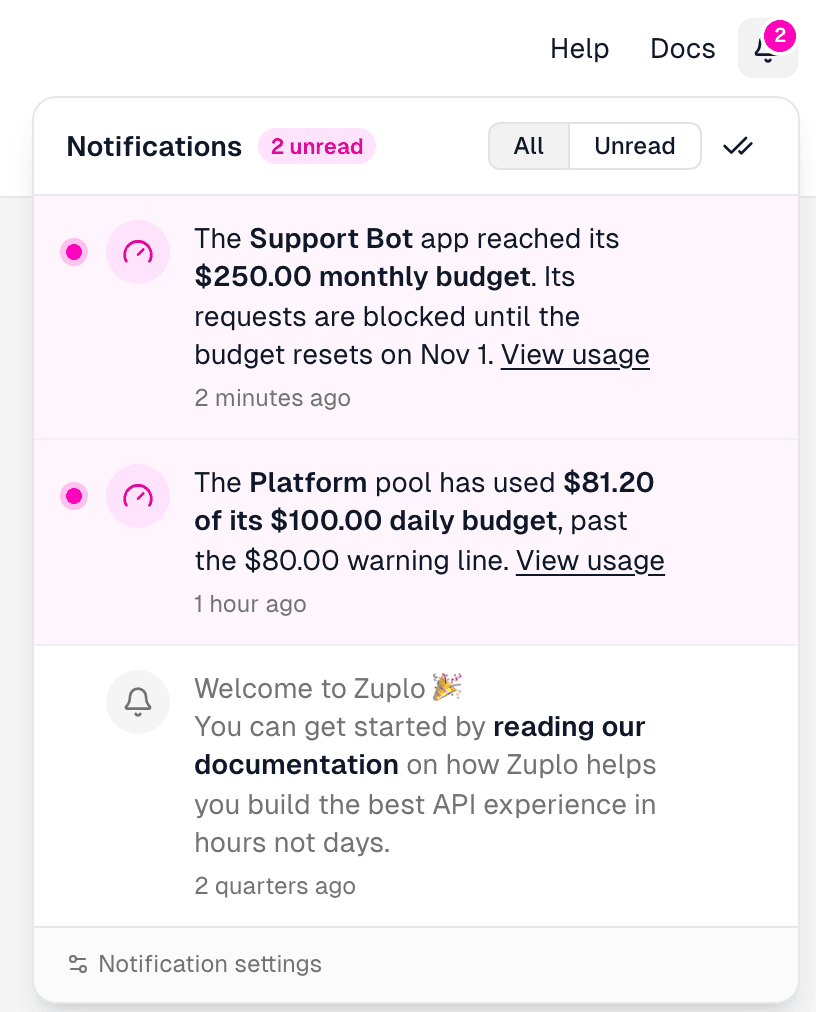
Choose which alerts you receive
In Profile → Notifications, turn the in-app feed or email channel on or off for AI Gateway Budget Alerts. Both are enabled by default.
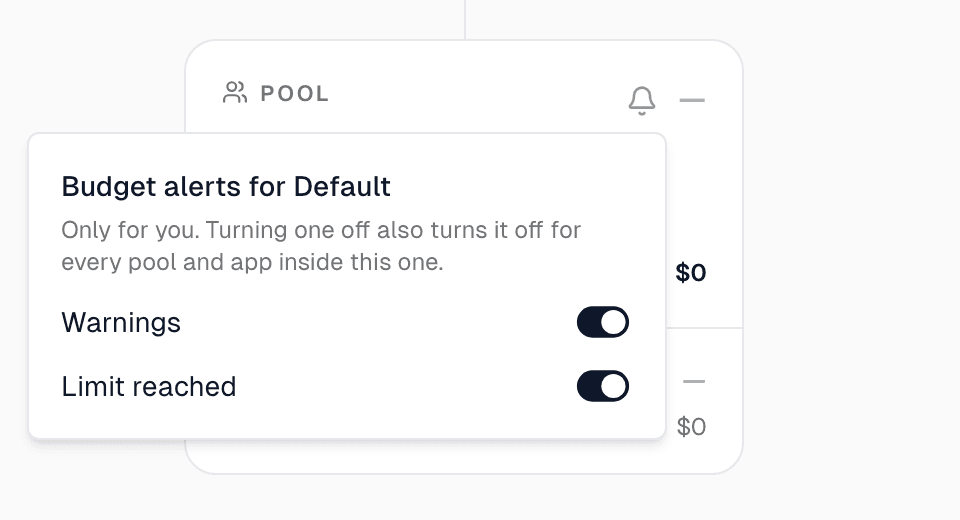
For finer control, open Observability → Analytics → Pools & Apps and use the bell on a gateway, pool, or app to mute Warnings, Limit reached, or both. Muting a pool also mutes everything inside it. These settings affect your notifications; budget enforcement and other people’s preferences stay in place.
Getting started
Read Budget Alerts for delivery and recipient details, or set thresholds in Usage Limits.