---
title: "How to Implement Validation in Python Flask REST APIs"
description: "Learn effective methods for validating data in Flask REST APIs to enhance security, reliability, and user experience."
canonicalUrl: "https://zuplo.com/learning-center/how-to-implement-validation-in-python-flask-rest-apis"
pageType: "learning-center"
authors: "adrian"
tags: "Python, Tutorial"
image: "https://zuplo.com/og?text=Implement%20Validation%20in%20Python%20Flask%20REST%20APIs"
---
**Want to secure your** [**Flask**](https://flask.palletsprojects.com/) **API?
Start with proper data validation.** Poor input handling leads to over 90% of
web app vulnerabilities, including SQL injection and XSS attacks. Validation
ensures your API is safe, reliable, and user-friendly.
Here’s how you can validate data in Flask REST APIs:
- **Manual Validation**: Write custom logic for small projects or specific
needs.
- **Schema-Based Validation**: Use libraries like
[Marshmallow](https://marshmallow.readthedocs.io/) for reusable, consistent
validation.
- **Custom Logic**: Handle complex business rules or field dependencies.
**Tools to simplify validation**:
- [**Flask-RESTful**](https://github.com/flask-restful/flask-restful): Easy
argument parsing for straightforward APIs.
- **Marshmallow**: Schema-based validation with serialization/deserialization
support.
- [**Flask-Smorest**](https://flask-smorest.readthedocs.io/): Combines
Marshmallow with OpenAPI/Swagger documentation.
- **Zuplo**: Allows you to implement schema validation at the API gateway layer
using OpenAPI, so don't have to worry about it at the service level.
**Quick Comparison**:
| Method | Best For | Complexity | Flexibility |
| -------------------------------- | ---------------------- | ---------- | ----------- |
| Manual Validation | Simple APIs | Low | High |
| Schema-Based (e.g., Marshmallow) | Medium to large APIs | Medium | High |
| Custom Logic | Complex business rules | High | Very High |
**Key Takeaway**: Choose a validation method based on your project’s size and
complexity. Combine approaches for the best results. Ready to dive deeper? Let’s
explore these methods step-by-step.
## Video: Flask API Validation Mastery in 30 Minutes
Here's a quick youtube tutorial that covers a lot of the content we touch on
below, if you prefer watching over reading. If you don't have experience
building Flask APIs, please check out our
[Flask API tutorial](./2025-03-29-flask-api-tutorial.md).
## Approaches to Data Validation in Flask REST APIs
When building Flask REST APIs, you have a few solid options for validating
incoming data. The approach you choose will depend on your project's complexity,
the size of your team, and how much you want to prioritize maintainability.
Let’s break down the three primary methods and when they make sense.
### Manual Validation
Manual validation gives you full control over how data is checked by relying on
basic Python logic. Since Flask doesn’t come with a built-in validation system,
you’ll need to write this logic yourself.
For example, you can access query parameters using `request.args.get()` for
single values and `request.args.getlist()` for lists. If you’re working with
JSON payloads, `request.get_json()` is your go-to for parsing the request body.
So, if a client sends a payload like `{"name": "Alice", "age": 30}`, your Flask
route will handle it as a Python dictionary. Just make sure the client includes
the correct `Content-Type: application/json` header - otherwise, parsing will
fail.
While manual validation offers flexibility, it can quickly become repetitive and
hard to manage, especially as your API grows. This method works best for small
projects with simple requirements or when you need highly customized validation
that doesn’t fit into pre-built patterns. But as complexity increases, the
downsides of maintaining all that custom logic start to show.
For larger projects, schema-based validation can save you a lot of effort.
### Schema-Based Validation
Schema-based validation is all about reducing repetitive code and creating
consistent data checks. Tools like Marshmallow let you define reusable schemas
that handle validation, serialization, and deserialization for you.
Instead of writing validation logic for every endpoint, you define a schema once
and reuse it wherever needed. Marshmallow comes with built-in validators for
common data types and formats, so you can handle standard cases without extra
work.
This approach is especially useful when multiple endpoints share similar data
requirements. For instance, a user registration schema could validate email
formats, password strength, and required fields across registration, profile
updates, and admin user creation - without duplicating code.
Another advantage of Marshmallow is its ecosystem. It integrates seamlessly with
Flask, [SQLAlchemy](https://www.sqlalchemy.org/), and other popular libraries,
making it a natural fit for many Flask projects. Plus, it simplifies both
incoming and outgoing data: converting JSON into Python objects for processing
and vice versa for responses.
Schema-based validation is a great choice for medium to large projects where
consistency and maintainability are priorities. While it requires some upfront
setup, it pays off as your API grows.
But what about cases where you need more tailored checks? That’s where custom
validation logic comes in.
### Custom Validation Logic
Sometimes, your validation needs go beyond standard checks. Custom validation is
ideal for handling complex business rules or dependencies between fields.
For example, imagine a shopping cart where a discount code only applies to
specific products, or a scheduling app that ensures a meeting’s end time is
after its start time and within business hours. These scenarios require logic
that evaluates multiple fields together.
In financial applications, you might need to validate account numbers, routing
numbers, or transaction limits based on account type and regulatory rules. These
are the kinds of situations where custom logic shines.
The key to effective custom validation is creating reusable components. Instead
of embedding complex logic directly in your routes, build standalone validator
functions or classes. This makes your code easier to test, maintain, and reuse
across your application.
Here’s how the three approaches compare:
| Validation Approach | Best For | Maintenance Effort | Flexibility |
| ------------------- | ------------------------------------------ | --------------------------- | ----------- |
| **Manual** | Simple APIs, specific needs | High (repetitive code) | Maximum |
| **Schema-Based** | Medium to large APIs, consistent patterns | Low (reusable schemas) | Good |
| **Custom Logic** | Complex business rules, cross-field checks | Medium (modular components) | High |
The right approach depends on your project’s needs and future goals. Many Flask
APIs successfully combine all three methods: using schema-based validation for
standard cases, manual validation for simpler edge cases, and custom logic for
intricate business rules.
## Using [Flask-RESTful](https://github.com/flask-restful/flask-restful) for Validation
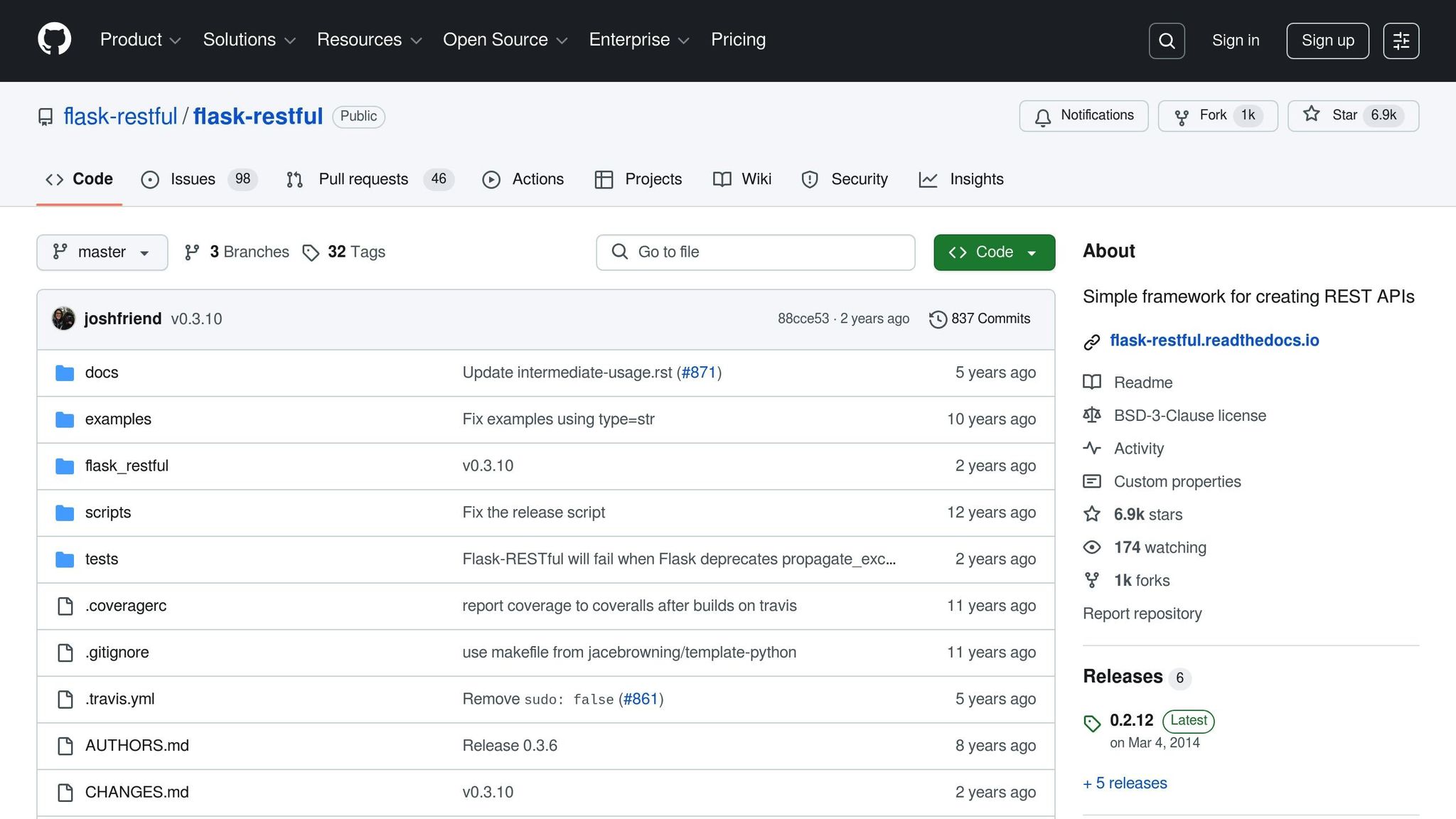
Flask-RESTful makes request validation straightforward with its `reqparse`
module. This built-in tool lets you parse and validate incoming data without
needing additional libraries. Let’s break down how to define parsers and handle
errors effectively.
The `reqparse` interface is inspired by Python's `argparse`, making it intuitive
for developers familiar with command-line argument parsing. It provides a clean
and structured way to access and validate data from Flask request objects, all
while keeping your code easy to read.
### Defining and Using Request Parsers
Flask-RESTful’s parser interface lets you define exactly what data your API
expects from incoming requests. You can specify data types, set fields as
required, assign default values, and even customize error messages for invalid
input.
Here’s an example of creating a parser for validating user registration data:
```python
from flask_restful import reqparse
parser = reqparse.RequestParser()
parser.add_argument('name', required=True, help="Name cannot be blank!")
parser.add_argument('email', required=True, help="Email is required")
parser.add_argument('age', type=int, default=18)
parser.add_argument('newsletter', type=bool, default=False)
```
When you call `parser.parse_args()` in your route, it returns a dictionary
containing the validated data. If validation fails, it raises an error
automatically.
- **Required Fields**: Use `required=True` to enforce mandatory fields. If a
required field is missing, the API returns a 400 error along with your custom
error message (set via the `help` parameter).
- **Type Enforcement**: The `type` parameter ensures data is converted to the
expected type. For example, a string `"25"` for an integer field will
automatically convert to `25`.
- **Default Values**: If a field isn’t provided, it defaults to `None` unless
you specify a different default value.
By default, the parser looks for arguments in `request.values` and
`request.json`. You can adjust this behavior with the `location` parameter to
search specific sources like headers (`location='headers'`), query strings
(`location='args'`), or file uploads (`type=FileStorage, location='files'`).
If you want to collect all validation errors in a single response (rather than
failing at the first issue), you can enable `bundle_errors`:
```python
parser = reqparse.RequestParser(bundle_errors=True)
```
This approach allows users to correct multiple issues in one go, improving the
experience for API clients.
### Error Handling and Standardized Responses
Flask-RESTful provides tools to handle validation errors while ensuring
consistent API responses. You can override the `Api.handle_error` method to
customize error handling globally:
```python
from flask_restful import Api
class CustomApi(Api):
def handle_error(self, e):
# Custom error handling logic
return {'error': str(e), 'status': 'failed'}, 400
api = CustomApi(app)
```
For immediate error responses, the `abort()` function is a simple option. It’s
particularly useful when validation fails or when resources are missing.
Additionally, Flask-RESTful lets you register handlers for specific exceptions
using the `@api.errorhandler` decorator:
```python
@api.errorhandler
def handle_validation_error(error):
return {'message': 'Validation failed', 'errors': error.data}, 400
```
You can also use [Werkzeug](https://werkzeug.palletsprojects.com/) exceptions
like `BadRequest`, `Unauthorized`, `Forbidden`, `NotFound`, or `Conflict` to
ensure your API responds with the correct HTTP status codes. These exceptions
integrate seamlessly with Flask-RESTful, allowing you to return descriptive
error messages that client applications can process programmatically.
A consistent error-handling strategy not only improves usability but also makes
debugging easier for developers consuming your API.
**Note**: The `reqparse` module is set to be deprecated in Flask-RESTful 2.0.
For future projects, consider switching to schema-based validation libraries.
## Implementing Schema-Based Validation with [Marshmallow](https://marshmallow.readthedocs.io/)
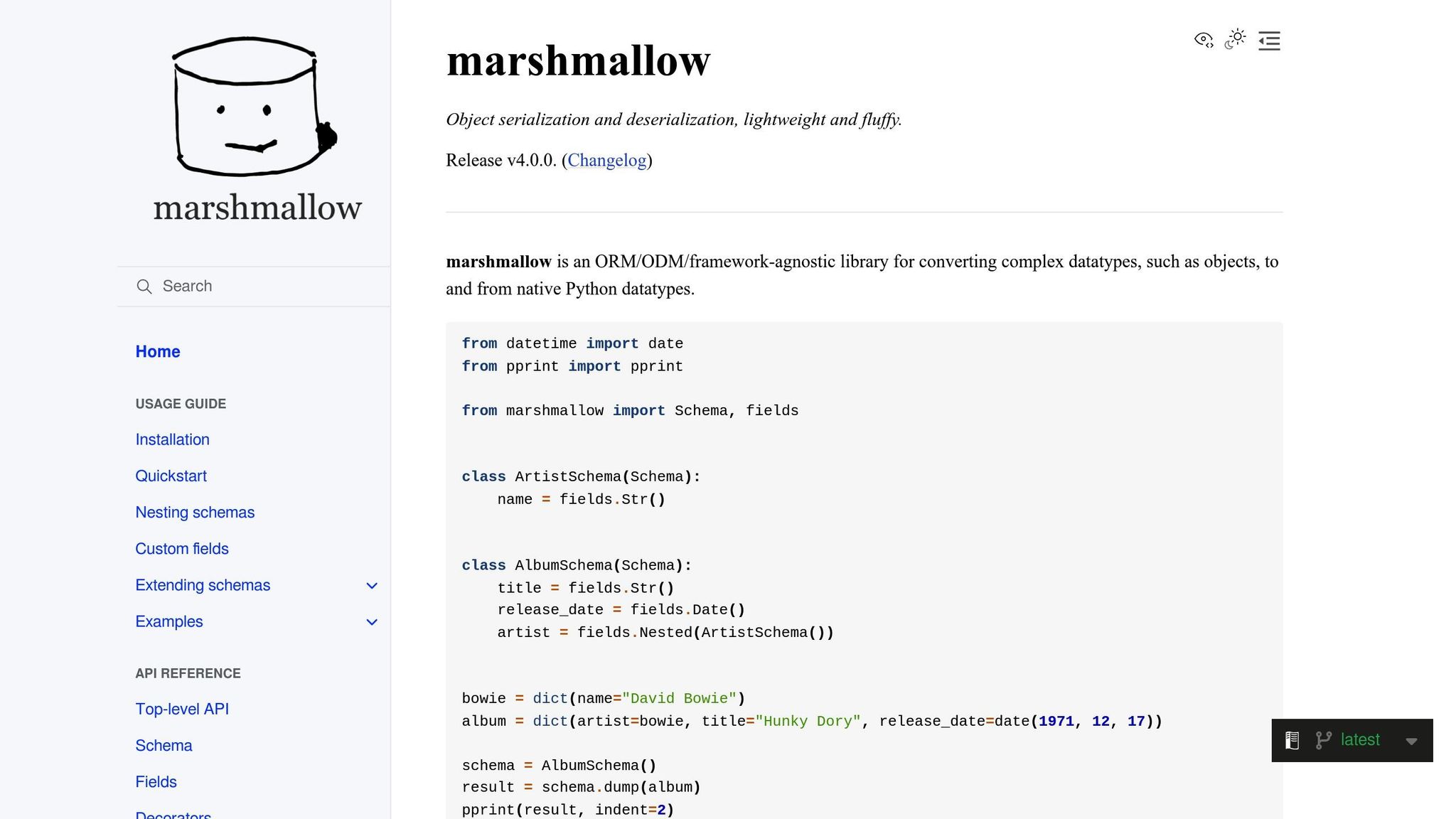
Marshmallow simplifies managing and validating complex data by using schemas to
define structure and enforce rules. It also handles serialization (converting
Python objects to JSON) and deserialization (converting JSON to Python objects).
This section explores how to define schemas, create custom validators, and
process data efficiently.
### Defining Marshmallow Schemas
To define a schema in Marshmallow, subclass `marshmallow.Schema`. Here's an
example schema for a note-taking application:
```python
from marshmallow import Schema, fields, validate
from datetime import datetime
class CreateNoteInputSchema(Schema):
title = fields.Str(required=True, validate=validate.Length(max=60))
note = fields.Str(required=True, validate=validate.Length(max=1000))
user_id = fields.Int(required=True, validate=validate.Range(min=1))
time_created = fields.DateTime()
```
Marshmallow offers various field types like `fields.Str()`, `fields.Int()`,
`fields.Float()`, and `fields.Email()`, ensuring your data matches the expected
types. Fields can be marked as required using `required=True`, while built-in
validators like `Length` and `Range` handle tasks such as checking string
lengths or numeric ranges.
For more intricate data structures, you can define schemas with specialized
fields. For instance, a schema for bookmarks might include URL validation:
```python
class BookMarkSchema(Schema):
title = fields.Str(required=True)
url = fields.Url(relative=True, require_tld=True)
description = fields.Str()
created_at = fields.DateTime()
updated_at = fields.DateTime()
```
The `fields.Url()` field ensures the URL format is valid and can enforce
requirements like having a top-level domain. Fields such as `description` are
optional, allowing flexibility in data input.
### Custom Validation with Marshmallow
Marshmallow also supports custom validation methods, which can be implemented
using decorators. The `@validates` decorator is used for field-specific rules,
while `@validates_schema` is ideal for validation that depends on multiple
fields.
For example, here's how you could validate usernames based on specific business
rules:
```python
from marshmallow import Schema, fields, validates, ValidationError
import re
class UserSchema(Schema):
username = fields.Str(required=True)
email = fields.Email(required=True)
@validates('username')
def validate_username(self, value):
if len(value) < 3:
raise ValidationError('Username must be at least 3 characters long.')
if not re.match('^[a-zA-Z0-9]+$', value):
raise ValidationError('Username can only contain alphanumeric characters.')
@validates('email')
def validate_email_domain(self, value):
if not value.endswith('@example.com'):
raise ValidationError('Email must be from example.com domain.')
```
For multi-field validation, use `@validates_schema`. Here's how to prevent
duplicate reviews:
```python
class ReviewSchema(Schema):
user_id = fields.Int(required=True)
book_id = fields.Int(required=True)
rating = fields.Int(required=True, validate=validate.Range(min=1, max=5))
@validates_schema
def validate_duplicate_review(self, data, **kwargs):
# Check if the user already reviewed this book
existing_review = Review.query.filter_by(
user_id=data['user_id'],
book_id=data['book_id']
).first()
if existing_review:
raise ValidationError('You have already reviewed this book.')
```
Custom validators help enforce specific application rules, ensuring data
integrity beyond standard type checks.
### Serialization and Deserialization
Once data is validated, Marshmallow makes it easy to convert between Python
objects and JSON. The `load` method deserializes JSON into Python objects, while
the `dump` method serializes Python objects into JSON.
Here’s an example of using both methods in a Flask route:
```python
from flask import Flask, request, jsonify
from marshmallow import ValidationError
app = Flask(__name__)
bookmark_schema = BookMarkSchema()
@app.route('/bookmarks', methods=['POST'])
def create_bookmark():
try:
# Deserialize JSON payload into a Python object
bookmark_data = bookmark_schema.load(request.json)
# Create and save bookmark (assuming you have a BookMarkModel)
new_bookmark = BookMarkModel(**bookmark_data)
db.session.add(new_bookmark)
db.session.commit()
# Serialize the saved object back to JSON
result = bookmark_schema.dump(new_bookmark)
return jsonify(result), 201
except ValidationError as err:
return jsonify({'errors': err.messages}), 400
```
If you need to allow partial updates, the `load` method supports the
`partial=True` parameter:
```python
@app.route('/bookmarks/', methods=['PATCH'])
def update_bookmark(bookmark_id):
bookmark = BookMarkModel.query.get_or_404(bookmark_id)
try:
# Allow partial updates by only validating provided fields
updated_data = bookmark_schema.load(request.json, partial=True)
for key, value in updated_data.items():
setattr(bookmark, key, value)
db.session.commit()
return jsonify(bookmark_schema.dump(bookmark))
except ValidationError as err:
return jsonify({'errors': err.messages}), 400
```
With these tools, Marshmallow ensures smooth validation, serialization, and
deserialization for handling data in your applications.
## Implementing OpenAPI-Based Validation with Zuplo
Another approach to adding validation to your API is moving it out of the API
service layer, and into an API gateway like Zuplo instead. Normally,
synchronization between the data model and the gateway is difficult as your API
evolves, but Zuplo is OpenAPI-native, so you can easily generate an OpenAPI from
Flask and sync it with Zuplo. What's great about this solution is your
documentation and API implementation never drift from eachother. Here's a
tutorial that covers how request validation using OpenAPI works:
## Best Practices for Validation in Flask APIs
Developing Flask APIs involves more than just implementing validation - it’s
about ensuring security, consistency, and reliability. This becomes especially
important when catering to US-based users who expect dependable and
user-friendly applications.
### Standardized Error Messages
Providing clear and consistent error messages is key to creating a predictable
API experience. Error responses should include codes, concise descriptions, and
actionable details:
```python
from flask import jsonify, request
from marshmallow import ValidationError
def create_error_response(code, message, details=None, target=None):
error_response = {
"error": {
"code": code,
"message": message
}
}
if details:
error_response["error"]["details"] = details
if target:
error_response["error"]["target"] = target
return error_response
```
When dealing with sensitive data, avoid exposing internal system details in your
error messages. Instead of revealing database constraints or field names,
provide user-friendly descriptions that help users correct their input without
compromising security.
### Localization Considerations
To meet US user expectations, validation should account for regional
preferences, ensuring a seamless experience.
**Date Validation**
US users typically expect dates in the MM/DD/YYYY format. Adjust your
Marshmallow schemas to reflect this:
```python
from marshmallow import Schema, fields
class EventSchema(Schema):
event_date = fields.DateTime(
format='%m/%d/%Y',
error_messages={'invalid': 'Date must be in MM/DD/YYYY format'}
)
created_at = fields.DateTime(
format='%m/%d/%Y %I:%M %p' # Example: 12/25/2024 3:30 PM
)
```
**Measurement Validation**
When working with measurements, default to imperial units (e.g., pounds) while
still allowing metric options:
```python
from marshmallow import Schema, fields, validates_schema, ValidationError, validate
class ShippingSchema(Schema):
weight = fields.Float(required=True)
weight_unit = fields.Str(
validate=validate.OneOf(['lbs', 'oz', 'kg', 'g']),
missing='lbs' # Default to pounds
)
@validates_schema
def validate_weight_limits(self, data, **kwargs):
weight = data.get('weight', 0)
unit = data.get('weight_unit', 'lbs')
# Convert to pounds for validation
if unit == 'oz':
weight_lbs = weight / 16
elif unit == 'kg':
weight_lbs = weight * 2.20462
elif unit == 'g':
weight_lbs = weight * 0.00220462
else:
weight_lbs = weight
if weight_lbs > 150: # 150 lbs shipping limit
raise ValidationError('Package exceeds 150 lb shipping limit')
```
### Testing and Debugging Validation Logic
To maintain reliability, it’s essential to rigorously test your validation
logic. Comprehensive test suites should cover both expected and edge-case
scenarios.
Mock external dependencies to isolate and speed up your tests. Tools like
`unittest.mock` or `pytest-mock` can help you focus on the validation logic
without interference from database calls or third-party services:
```python
import pytest
from unittest.mock import patch
from your_app import user_schema, create_user
from marshmallow import ValidationError
@pytest.fixture
def user_data():
return {
'username': 'testuser',
'email': 'test@example.com',
'age': 25
}
def test_user_validation_success(user_data):
"""Test successful user validation."""
with patch('your_app.User.query') as mock_query:
mock_query.filter_by.return_value.first.return_value = None
result = user_schema.load(user_data)
assert result['username'] == 'testuser'
assert result['email'] == 'test@example.com'
def test_user_validation_duplicate_email(user_data):
"""Test validation failure for duplicate email."""
with patch('your_app.User.query') as mock_query:
mock_query.filter_by.return_value.first.return_value = True
with pytest.raises(ValidationError) as exc_info:
user_schema.load(user_data)
assert 'email' in exc_info.value.messages
```
Testing should also include edge cases like invalid formats, empty fields, and
out-of-range values. Debugging tools can help pinpoint validation issues during
development:
```python
import pdb
from flask import jsonify, request
@app.route('/debug-endpoint', methods=['POST'])
def debug_validation():
try:
data = request.get_json()
pdb.set_trace() # Interactive debugging point
validated_data = schema.load(data)
return jsonify(validated_data)
except ValidationError as err:
app.logger.error(f"Validation failed: {err.messages}")
return jsonify({"error": "Validation error occurred"}), 400
```
## Summary: Comparing Validation Methods
Let's wrap up our look at manual, schema-based, and custom validation methods by
comparing how each impacts development efficiency and API performance.
**Flask-RESTful** simplifies basic API tasks with its built-in request parsing
tools. It's a solid choice for teams focused on resource-oriented APIs where
consistency and speed are key priorities.
**Marshmallow** stands out for its powerful serialization, deserialization, and
validation capabilities. Its schema-based approach makes it especially useful
for APIs managing complex data structures, offering excellent maintainability.
**Custom validation** provides unmatched flexibility, though it requires more
development effort. This method is ideal for highly specific validation needs or
when full control over error handling and logic is necessary.
Here's a breakdown of the trade-offs across key dimensions:
### Validation Methods Comparison Table
| Feature | Flask-RESTful | Marshmallow | Custom Validation |
| -------------------------- | ------------------------------------------------------------------ | ---------------------------------------------- | ----------------------------------------- |
| **Ease of Implementation** | High - Built-in parsers and decorators | Medium - Requires schema definition | Low - Manual implementation required |
| **Flexibility** | Medium - Limited by framework structure | High - Extensive customization options | Very High - Complete control |
| **Error Handling** | Good - Standardized responses; may return 500 errors in production | Excellent - Rich field-level error messages | Variable - Depends on implementation |
| **Performance** | Good - Optimized for REST patterns | Good - Efficient serialization/deserialization | Variable - Depends on quality of code |
| **Maintainability** | Good - Consistent structure across endpoints | Excellent - Clear, reusable schema definitions | Poor to Good - Varies with code quality |
| **Learning Curve** | Low - Familiar Flask patterns | Medium - Schema concepts and validation rules | High - Requires deep understanding |
| **Integration Complexity** | Low - Designed for Flask | Low - Seamless Flask integration | High - Manual integration required |
| **Serialization Support** | Basic - JSON output only | Excellent - Multiple formats, nested objects | Manual - Must implement separately |
| **Content Negotiation** | Yes - Built-in support for JSON/XML | Limited - Requires additional setup | Manual - Must implement separately |
| **Best Use Cases** | Simple to medium APIs, microservices, rapid prototyping | Complex data structures, enterprise apps | Specific validation rules, legacy systems |
The right approach depends on your project’s scale, complexity, and team
expertise. For startups or microservices, **Flask-RESTful** offers the quickest
route to a functional API. Larger, enterprise-level projects benefit from
**Marshmallow** or even adopting a gateway like **Zuplo**, thanks to its robust
feature set. If you're working with legacy systems or unique business
requirements, **custom validation** might be your best bet.
Your team's skill level also plays a role. **Flask-RESTful** is
beginner-friendly, **Marshmallow** introduces more advanced concepts, and
**custom validation** demands strong Python knowledge and attention to security.
For teams not solely building Python APIs, implementing validation centrally
within an API gateway like **Zuplo** might make API management simpler. Use this
comparison to make informed decisions when building reliable, error-resistant
Flask APIs.
## Conclusion
Ensuring proper validation in Flask REST APIs is a critical step in creating
secure and dependable applications. With the majority of web applications
vulnerable to security threats due to poor input handling, validation acts as
the first barrier against malicious attacks.
Each validation method discussed earlier brings its own strengths, catering to
various project needs. Flask-RESTful works well for straightforward APIs and
quick development cycles, while Marshmallow excels when managing intricate data
structures. For scenarios requiring unique business logic, custom validation
offers unmatched flexibility.
The key is to select a validation approach that aligns with your project's
complexity, your team's expertise, and your long-term maintenance goals.
High-profile industry cases have shown the severe consequences of neglecting
input validation, making it clear that strong validation practices are essential
for safeguarding both users and businesses.
By applying the strategies and best practices we've covered, you can build APIs
that are better equipped to handle modern security challenges. Make sure to
rigorously test your validation logic, manage errors effectively, and account
for Flask's lightweight framework by taking extra care with security measures.
Whether you're crafting a basic microservice or a sophisticated enterprise-level
API, robust validation not only protects your application but also ensures the
safety of your users and the reputation of your business. Take the time to
choose the right validation method, implement it thoroughly, and keep it updated
as your application evolves.