---
title: "Create XML Responses in FastAPI with OpenAPI"
description: "Learn how to create and document XML responses in FastAPI, covering dynamic generation, content negotiation, and security best practices."
canonicalUrl: "https://zuplo.com/learning-center/create-xml-responses-in-fastapi-with-openapi"
pageType: "learning-center"
authors: "martyn"
tags: "Python, Tutorial"
image: "https://zuplo.com/og?text=Create%20XML%20Responses%20in%20FastAPI%20with%20OpenAPI"
---
**Did you know** [**FastAPI**](https://fastapi.tiangolo.com/) **can seamlessly
handle XML responses?** While JSON is the go-to for modern APIs, XML is still
crucial for enterprise and legacy systems. FastAPI allows you to create and
document XML APIs efficiently using tools like `Response`,
`xml.etree.ElementTree`, and external libraries like `fastapi-xml`.
Here’s what you’ll learn:
- **Basic XML Responses:** Use FastAPI's `Response` class to return static XML.
- **Dynamic XML Creation:** Generate XML programmatically with Python's
`ElementTree`.
- **Custom XML Response Classes:** Reuse XML formatting logic across endpoints.
- [**OpenAPI**](https://www.openapis.org/) **Documentation:** Auto-generate XML
response schemas and examples for clear API docs.
- **Content Negotiation:** Serve XML or JSON based on client preferences.
- **Error Handling:** Format validation and error messages in XML.
- **Security Tips:** Use libraries like `defusedxml` to prevent XML
vulnerabilities.
FastAPI makes XML easy to implement while keeping your APIs secure, flexible,
and well-documented. Whether you're working with simple or complex XML
structures, this guide covers everything you need.
## How to Set Up XML Responses in [FastAPI](https://fastapi.tiangolo.com/)
FastAPI defaults to JSON for responses, but you can easily configure it to
handle XML by using custom objects and XML libraries. In case you are not
already familiar with building REST APIs using FastAPI, check out our
[FastAPI tutorial](./2025-01-26-fastapi-tutorial.md), written by the FastAPI
Expert.
### Returning Basic XML with the Response Class
The simplest way to send XML from a FastAPI endpoint is by using the built-in
`Response` class. You just need to specify the `response_class` parameter in
your route decorator and set the content type to `"application/xml"`. Here's an
example:
```python
from fastapi import FastAPI, Response
app = FastAPI()
@app.get("/basic-xml", response_class=Response)
async def get_basic_xml():
xml_content = """
123
John Doe
john@example.com
"""
return Response(content=xml_content, media_type="application/xml")
```
In this setup, the `content` parameter is where you pass the XML string, and the
`media_type` ensures the response is recognized as XML. This method is perfect
for static XML responses with a fixed structure.
For more dynamic XML needs, you can generate the content programmatically using
libraries like `ElementTree`.
### Generating Dynamic XML with ElementTree
When your XML structure depends on changing data, Python's
`xml.etree.ElementTree` module is a great tool. It allows you to create XML
content dynamically. Here's an example:
```python
from fastapi import FastAPI, Response
import xml.etree.ElementTree as ET
app = FastAPI()
@app.get("/dynamic-xml", response_class=Response)
async def get_dynamic_xml():
# Create the root element
root = ET.Element("products")
# Example data (could come from a database)
products = [
{"id": 1, "name": "Laptop", "price": 999.99},
{"id": 2, "name": "Mouse", "price": 29.99},
{"id": 3, "name": "Keyboard", "price": 79.99}
]
# Build the XML structure
for product in products:
product_elem = ET.SubElement(root, "product")
id_elem = ET.SubElement(product_elem, "id")
id_elem.text = str(product["id"])
name_elem = ET.SubElement(product_elem, "name")
name_elem.text = product["name"]
price_elem = ET.SubElement(product_elem, "price")
price_elem.text = str(product["price"])
# Convert the XML tree to a string
xml_string = ET.tostring(root, encoding="unicode")
return Response(content=xml_string, media_type="application/xml")
```
This approach gives you the flexibility to create XML structures that adapt to
your data, making it ideal for scenarios where the content varies or is nested.
### Using a Custom XML Response Class
To streamline your XML responses and keep your code organized, you can create a
custom response class by subclassing FastAPI's `Response`. This allows you to
encapsulate the XML generation logic and reuse it across multiple endpoints.
Here's how:
```python
from typing import Any
from fastapi import FastAPI, Response
import xml.etree.ElementTree as ET
app = FastAPI()
class CustomXMLResponse(Response):
media_type = "application/xml"
def render(self, content: Any) -> bytes:
root = ET.Element("data")
# Convert dictionary data to XML
if isinstance(content, dict):
for key, value in content.items():
element = ET.SubElement(root, key)
if isinstance(value, (list, tuple)):
for item in value:
item_elem = ET.SubElement(element, "item")
item_elem.text = str(item)
else:
element.text = str(value)
xml_string = ET.tostring(root, encoding="utf8").decode("utf8")
return xml_string.encode("utf8")
@app.get("/custom-xml", response_class=CustomXMLResponse)
async def get_custom_xml():
return {
"message": "Hello World",
"status": "success",
"items": ["item1", "item2", "item3"]
}
```
This method is especially useful when working with more intricate data formats
or when you need consistent XML formatting across multiple endpoints. It
simplifies your code by centralizing the XML generation logic into a reusable
class.
## How to Document XML Responses with [OpenAPI](https://www.openapis.org/)
Clear and detailed documentation is essential for XML APIs, and FastAPI makes
this process easier by auto-generating an
[OpenAPI schema](./2024-09-25-mastering-api-definitions.md) from your code. When
you create XML endpoints, this functionality allows developers to quickly grasp
the structure and format of responses through interactive documentation.
By combining [Pydantic](https://pydantic.dev/) models with FastAPI's OpenAPI
features, you can ensure that XML responses are both well-documented and
accurately validated. This setup helps developers understand your API's behavior
and response structure at a glance.
### Setting Up XML Schemas in OpenAPI
To [document XML responses](./2025-06-04-documenting-xml-apis.md) properly,
start by defining Pydantic models that reflect your data structure. Even if your
endpoint returns XML, these models help FastAPI understand the data format and
generate accurate documentation.
Here's an example:
```python
from fastapi import FastAPI, Response
from pydantic import BaseModel
from typing import List
import xml.etree.ElementTree as ET
app = FastAPI()
class User(BaseModel):
id: int
name: str
email: str
class UserList(BaseModel):
users: List[User]
class XMLResponse(Response):
media_type = "application/xml"
@app.get("/users",
response_model=UserList,
response_class=XMLResponse,
responses={
200: {
"description": "A list of users in XML format",
"content": {
"application/xml": {
"example": """
1
John Doe
john@example.com
"""
}
}
}
})
async def get_users():
users_data = [
{"id": 1, "name": "John Doe", "email": "john@example.com"},
{"id": 2, "name": "Jane Smith", "email": "jane@example.com"}
]
root = ET.Element("users")
for user in users_data:
user_elem = ET.SubElement(root, "user")
for key, value in user.items():
elem = ET.SubElement(user_elem, key)
elem.text = str(value)
xml_string = ET.tostring(root, encoding="unicode")
return XMLResponse(content=xml_string)
```
In this example, the `response_model` parameter defines the expected data
structure, while the `response_class` ensures the output is in XML format.
For more complex structures, you can use nested Pydantic models:
```python
class Address(BaseModel):
street: str
city: str
zip_code: str
class UserWithAddress(BaseModel):
id: int
name: str
email: str
address: Address
class UserListWithAddresses(BaseModel):
users: List[UserWithAddress]
```
Once you've defined the schemas, you can add XML-specific metadata to further
enhance your documentation.
### Adding XML Metadata to API Endpoints
While schemas define the structure of your responses, metadata provides
additional context about what the endpoint returns. FastAPI allows you to
include detailed XML-specific metadata using the `responses` parameter in path
operation decorators. This metadata shapes how the endpoint is presented in
OpenAPI tools like [Swagger UI](https://swagger.io/tools/swagger-ui/) or
[ReDoc](https://www.redoc.com/).
Here's an example of an endpoint that returns XML-formatted product details:
```python
@app.get("/products/{product_id}",
response_class=XMLResponse,
responses={
200: {
"description": "Product details in XML format",
"content": {
"application/xml": {
"example": """
123
Wireless Headphones
149.99
Electronics
""",
"schema": {
"type": "string",
"format": "xml"
}
}
}
},
404: {
"description": "Product not found",
"content": {
"application/xml": {
"example": """
404
Product not found
"""
}
}
}
},
tags=["Products"],
summary="Get product by ID",
description="Retrieves detailed XML responses about a specific product")
async def get_product(product_id: int):
# Implement your logic here
pass
```
If your API supports both JSON and XML responses, you can document both formats
within a single endpoint. Here's how:
```python
@app.get("/items/{item_id}",
responses={
200: {
"description": "Item details",
"content": {
"application/json": {
"example": {"id": 1, "name": "Sample Item", "price": 29.99}
},
"application/xml": {
"example": """
-
1
Sample Item
29.99
"""
}
}
}
})
async def get_item(item_id: int):
# Implementation with content negotiation
pass
```
This method ensures your
[OpenAPI documentation](./2024-08-02-how-to-promote-your-api-spectacular-openapi.md)
reflects all supported response formats, making it easier for developers to
interact with your API's XML endpoints effectively.
## Using External Libraries for XML Handling
Python's built-in `xml.etree.ElementTree` module is great for handling basic XML
tasks, but when you're working with FastAPI, specialized libraries can make life
a lot easier. One such library is **fastapi-xml**, which simplifies XML
processing and integrates seamlessly with FastAPI.
### Working with the [fastapi-xml](https://pypi.org/project/fastapi-xml/) Library
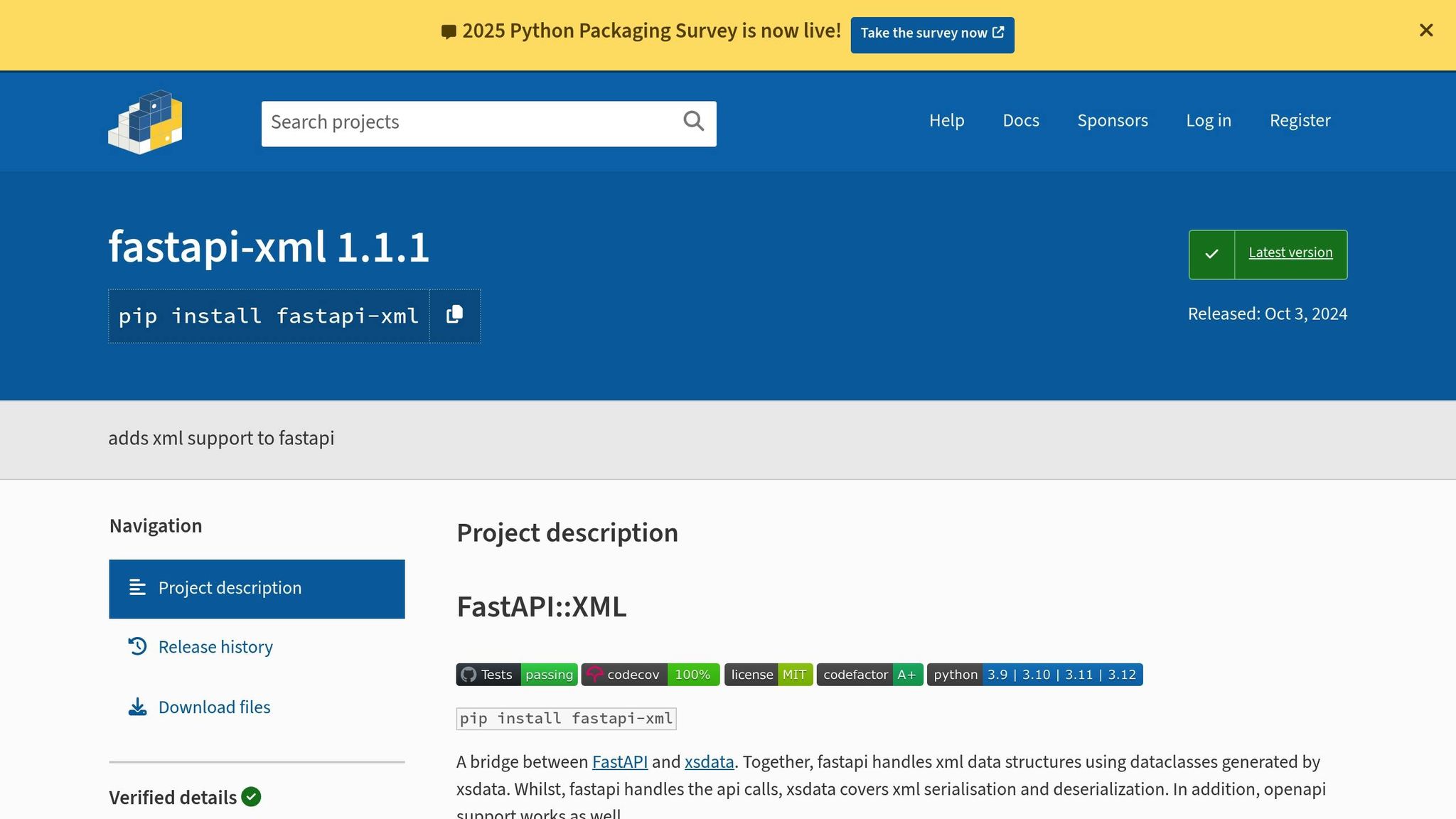
The **fastapi-xml** library is specifically designed to enhance XML handling in
FastAPI. It leverages [**xsdata**](https://xsdata.readthedocs.io/) for XML
serialization and deserialization, combining this with FastAPI's routing and
response features to create a smooth development experience.
> "Together, fastapi handles xml data structures using dataclasses generated by
> xsdata. Whilst, fastapi handles the api calls, xsdata covers xml serialisation
> and deserialization. In addition, openapi support works as well."
>
> - fastapi-xml · PyPI
To start using it, simply install the library via pip:
```bash
pip install fastapi-xml
```
This library introduces key components like `XmlRoute`, `XmlAppResponse`, and
`XmlBody`, which simplify tasks such as routing, formatting responses, and
processing XML data. Here's a quick example:
```python
from fastapi import FastAPI
from fastapi_xml import XmlRoute, XmlAppResponse, XmlBody, add_openapi_extension
from dataclasses import dataclass
@dataclass
class HelloWorld:
message: str
app = FastAPI(
default_response_class=XmlAppResponse,
routes=[XmlRoute]
)
@app.post("/echo")
async def echo_message(body: XmlBody[HelloWorld]) -> HelloWorld:
# Modify the incoming message
body.message += " For ever!"
return body
# Enable OpenAPI support for XML responses
add_openapi_extension(app)
```
In this example, the `HelloWorld` dataclass defines the structure of the XML
data. The `XmlBody[HelloWorld]` parameter automatically converts incoming XML
into the dataclass, while the return type ensures the response is serialized
back into XML. This approach eliminates the need to manually construct or parse
XML trees, making the code cleaner and easier to manage.
The library also handles more complex XML structures effortlessly. You can
define nested dataclasses, include lists of elements, and even manage
attributes. Check out this example:
```python
from dataclasses import dataclass, field
from typing import List
@dataclass
class Product:
id: int
name: str
price: float
category: str = field(metadata={"type": "attribute"})
@dataclass
class ProductCatalog:
products: List[Product]
total_count: int = field(metadata={"type": "attribute"})
@app.get("/catalog")
async def get_catalog() -> ProductCatalog:
products = [
Product(id=1, name="Wireless Mouse", price=29.99, category="Electronics"),
Product(id=2, name="USB Cable", price=12.50, category="Accessories")
]
return ProductCatalog(products=products, total_count=len(products))
```
Here, the `ProductCatalog` dataclass includes a list of `Product` objects,
showcasing how the library can handle nested and attribute-rich XML structures.
Another standout feature of **fastapi-xml** is its automatic OpenAPI
integration. By using the `add_openapi_extension(app)` function, you can ensure
that XML endpoints are properly documented in tools like Swagger UI and ReDoc.
### Best Practices for Using fastapi-xml
When incorporating external libraries like **fastapi-xml**, it's essential to
manage dependencies carefully. Pin specific versions of your dependencies in a
`requirements.txt` file to maintain stability in production. For larger
projects, tools like [Poetry](https://python-poetry.org/) can help you manage
dependencies more effectively.
While **fastapi-xml** handles typical API payloads efficiently, processing very
large XML files can strain memory resources. For such cases, consider monitoring
performance and exploring scalable solutions like [Dask](https://www.dask.org/)
to handle heavy workloads.
With minimal setup, **fastapi-xml** provides a powerful way to manage XML in
FastAPI applications, making it a great choice for most XML-related tasks.
## Best Practices for XML APIs in FastAPI
Building reliable XML APIs goes beyond generating responses; it involves
managing client interactions, handling errors effectively, and ensuring security
for consistent performance in production environments.
### How to Implement Content Negotiation
Content negotiation enables your API to deliver responses in formats that match
client preferences. FastAPI handles this by examining the `Accept` header in
incoming requests. For example, if the client specifies `application/xml` in the
header, the API returns an XML response. If the header is absent or set to
`application/json`, JSON is used as the default.
Here’s an example:
```python
from fastapi import FastAPI, Request, HTTPException
from fastapi.responses import JSONResponse, Response
from xml.etree.ElementTree import Element, tostring
from dataclasses import dataclass
@dataclass
class User:
id: int
name: str
email: str
app = FastAPI()
@app.get("/users/{user_id}")
async def get_user(user_id: int, request: Request):
# Example user data
user = User(id=user_id, name="John Doe", email="john@example.com")
# Check the Accept header
accept_header = request.headers.get("accept", "")
if "application/xml" in accept_header:
# Generate XML response
root = Element("user")
id_elem = Element("id")
id_elem.text = str(user.id)
name_elem = Element("name")
name_elem.text = user.name
email_elem = Element("email")
email_elem.text = user.email
root.extend([id_elem, name_elem, email_elem])
xml_content = tostring(root, encoding='unicode')
return Response(content=xml_content, media_type="application/xml")
elif "application/json" in accept_header or not accept_header:
# Default to JSON response
return {"id": user.id, "name": user.name, "email": user.email}
else:
# Handle unsupported media types
raise HTTPException(status_code=406, detail="Not Acceptable")
```
For clients unable to customize request headers, you can use query parameters to
specify the desired format:
```python
@app.get("/users/{user_id}")
async def get_user_with_format(user_id: int, format: str = "json"):
user = User(id=user_id, name="John Doe", email="john@example.com")
if format.lower() == "xml":
# Generate XML response
root = Element("user")
# Add XML structure here
xml_content = tostring(root, encoding='unicode')
return Response(content=xml_content, media_type="application/xml")
elif format.lower() == "json":
return {"id": user.id, "name": user.name, "email": user.email}
else:
raise HTTPException(status_code=400, detail="Unsupported format")
```
Both methods ensure flexibility in serving XML and JSON responses while
preparing for consistent error handling in XML.
### Formatting Error Responses in XML
To maintain a seamless client experience, error responses should match the
requested content type. FastAPI allows you to define custom exception handlers
to format errors in XML.
```python
from fastapi import FastAPI, HTTPException, Request
from fastapi.responses import Response
from fastapi.exception_handlers import http_exception_handler
from xml.etree.ElementTree import Element, SubElement, tostring
app = FastAPI()
@app.exception_handler(HTTPException)
async def xml_http_exception_handler(request: Request, exc: HTTPException):
accept_header = request.headers.get("accept", "")
if "application/xml" in accept_header:
# Create an XML error response
error_root = Element("error")
code_elem = SubElement(error_root, "code")
code_elem.text = str(exc.status_code)
message_elem = SubElement(error_root, "message")
message_elem.text = exc.detail
docs_elem = SubElement(error_root, "documentation")
docs_elem.text = "https://api.example.com/docs/errors"
timestamp_elem = SubElement(error_root, "timestamp")
timestamp_elem.text = "2025-06-11T10:30:00Z"
xml_content = tostring(error_root, encoding='unicode')
return Response(
content=xml_content,
status_code=exc.status_code,
media_type="application/xml"
)
# Default to JSON error handling
return await http_exception_handler(request, exc)
```
Validation errors can also follow this structure for consistency. Here’s how you
can handle validation errors in XML:
```python
from fastapi import FastAPI, HTTPException, Request
from pydantic import BaseModel, ValidationError
from xml.etree.ElementTree import Element, SubElement, tostring
class CreateUserRequest(BaseModel):
name: str
email: str
age: int
@app.post("/users")
async def create_user(user_data: CreateUserRequest, request: Request):
try:
# Simulate user creation process
return {"message": "User created successfully"}
except ValidationError as e:
accept_header = request.headers.get("accept", "")
if "application/xml" in accept_header:
error_root = Element("validation_error")
code_elem = SubElement(error_root, "code")
code_elem.text = "422"
message_elem = SubElement(error_root, "message")
message_elem.text = "Validation failed"
errors_elem = SubElement(error_root, "errors")
for error in e.errors():
field_error = SubElement(errors_elem, "field_error")
field_elem = SubElement(field_error, "field")
field_elem.text = ".".join(str(loc) for loc in error["loc"])
error_msg = SubElement(field_error, "error")
error_msg.text = error["msg"]
xml_content = tostring(error_root, encoding='unicode')
return Response(
content=xml_content,
status_code=422,
media_type="application/xml"
)
```
This approach ensures that both general and validation errors are formatted
consistently, enhancing client usability.
### Security Considerations
Handling XML securely is a critical aspect of API development. Python’s built-in
`xml` library is susceptible to attacks like XML External Entity (XXE) and "XML
bombs", which can expose sensitive data or overload system resources. For secure
parsing, use the `defusedxml` library:
```python
import defusedxml.ElementTree as ET
from fastapi import FastAPI, Request, HTTPException
app = FastAPI()
@app.post("/process-xml")
async def process_xml_data(request: Request):
try:
xml_data = await request.body()
# Securely parse XML
root = ET.fromstring(xml_data)
# Process XML safely
return {"status": "XML processed successfully"}
except ET.ParseError:
raise HTTPException(status_code=400, detail="Invalid XML format")
except Exception as e:
raise HTTPException(status_code=500, detail="XML processing failed")
```
## Conclusion
Creating XML responses in FastAPI requires striking a balance between
functionality and ease of maintenance. A key method involves using
`xml.etree.ElementTree` to construct XML data, while setting the response's
media type to `application/xml`. This allows your API to deliver XML outputs
effectively, all while benefiting from FastAPI's built-in OpenAPI support for
documentation and integration.
Clear documentation of your XML endpoints is crucial for encouraging API
adoption. By utilizing the `responses` parameter in route decorators and
tailoring the OpenAPI schema, you can provide detailed information about your
XML endpoints. This includes specifying media types, explaining the data
structure, and offering examples, which makes it easier for developers to work
with your API.
Security is another critical aspect of implementing XML APIs. Validating XML
inputs and using libraries like `defusedxml` help protect against common
vulnerabilities. These security measures complement features like content
negotiation and error handling, ensuring your API is both flexible and secure.
Lastly, rigorous testing ensures your XML endpoints perform as expected. By
following these practices, you can transform FastAPI's JSON-centric design into
a versatile tool for delivering XML responses. This approach meets a variety of
enterprise requirements while maintaining the framework's simplicity, powerful
documentation features, and overall usability. These strategies will help you
build reliable and well-documented XML APIs with FastAPI.
## FAQs
### How can I protect my FastAPI XML responses from security risks like XXE attacks?
To protect your FastAPI XML responses from **XML External Entity (XXE)**
attacks, here are some key precautions you should take:
- **Turn off external entity processing** in your XML parser. Libraries like
`lxml` or `xml.etree.ElementTree` often provide options to disable this
feature, blocking unsafe external references from being processed.
- **Validate and sanitize all incoming XML data**. Ensure that no malicious
content sneaks through by using strict schema validation, such as XML Schema
Definition (XSD), to only allow well-formed and expected XML structures.
- Use XML parsing libraries that are specifically built to address XXE
vulnerabilities, as these often come with built-in safeguards.
By following these guidelines, you can significantly lower the risk of XXE
attacks and ensure your API remains secure while handling XML responses.
### What makes the fastapi-xml library a better choice than Python's xml.etree.ElementTree for handling XML in FastAPI applications?
The **fastapi-xml** library brings several perks when compared to Python's
built-in `xml.etree.ElementTree`, especially for those working with XML in
FastAPI:
- **Easier XML Management**: With its straightforward and intuitive API,
fastapi-xml simplifies the process of creating and managing XML structures.
This contrasts with the more hands-on, manual approach required by
ElementTree.
- **Smooth FastAPI Integration**: It integrates seamlessly with FastAPI's
[automatic OpenAPI documentation](./2024-08-02-how-to-promote-your-api-spectacular-openapi.md),
ensuring that XML responses are clearly defined and well-represented in your
API's schema.
- **Async Support**: fastapi-xml is designed to handle asynchronous operations,
making it ideal for building high-performing, non-blocking APIs. In
comparison, ElementTree doesn't natively support async functionality.
Using fastapi-xml allows developers to efficiently generate XML responses while
staying aligned with FastAPI's performance capabilities and core features.
### How does FastAPI handle content negotiation to serve XML and JSON responses based on client needs?
FastAPI offers **content negotiation**, which allows the server to respond in
various formats, such as JSON or XML, depending on what the client requests.
These preferences are typically specified using the HTTP `Accept` header or
through query parameters in the request.
When a request comes in, FastAPI checks the `Accept` header to figure out the
preferred format. By default, if JSON is requested - or if no specific
preference is stated - the server provides a JSON response. If XML is needed,
you can set up custom logic to generate and return an `XMLResponse`. This
flexibility enables clients to get data in their preferred format without
needing separate endpoints for each type, streamlining API design and improving
usability.