ZuploZuplo
LoginStart for Free
  • Documentation
  • API Reference
Getting Started
Concepts
API Management
AI Gateway
MCP Gateway
MCP Server
Developer Portal
    Overview
    Getting Started
      Updating VersionsNode Modules & CustomizationZuplo Branding
      Configuration
      Writing
      OpenAPI
      Authentication
      Integrations
      Guides
      Extending
      Components
    Development
    Deploying & Source Control
    Analytics
    Observability
    Networking & Infrastructure
    Account Management
    Programming API
    Build with AI
    Zuplo CLI
    Migration Guides
    Platform LimitsVersion Support PolicySecuritySupportTrust & ComplianceChangelog
    powered by Zuplo
    Developer Portal

    Getting Started with Developer Portal - Agent

    1. Choose a productDeveloper Portal
    2. Choose a workflowLocal with an AI agent
    3. 3Build and testFollow your tutorial

    Developer Portal tutorial/Local with an AI agent

    Create a developer portal for a sample API, then sign in and test a request with an assigned API key.

    Follow along using

    Zuplo PortalLocal with an editorLocal with an AI agent

    Have a coding agent build a developer portal with an introduction, interactive API reference, and API key management. You'll assign a test key and verify the portal yourself.

    Prerequisites

    • Node.js 24 or later and Git.
    • A Zuplo account.
    • An installed coding agent and an email address for the portal sign-in test.

    Build your developer portal with an agent

    1. Create the project

      Run:

      TerminalCode
      npx create-zuplo-api@latest my-api-project cd my-api-project

      When prompted, choose Yes to create a matching Portal project, complete sign-in, and select your Zuplo account. Select the coding agent you use when asked. The CLI creates and links the hosted project. See create-zuplo-api.

      Zuplo skills

      The scaffold installs Zuplo skills in this project for Codex and Cursor and configures the Claude Code plugin. If setup fails, follow Agent Skills from this directory before starting your agent.

    2. Ask the agent to build the portal

      Open your agent in the project directory and give it this prompt:

      Code
      Read the project instructions and bundled Zuplo docs. Customize the default developer portal for a Todo API. Keep the generated project structure. In docs/zudoku.config.tsx, set site.title and metadata.title to "Todo Developer Portal" and metadata.description to "Explore the Todo API and manage your API keys." Keep the API reference sourced from ../config/routes.oas.json at /api. Keep demo authentication and apiKeys.enabled for this tutorial. Replace docs/pages/introduction.mdx with a short introduction telling users to sign in, find their assigned key under their profile's API Keys menu, and try Get all todos in API Reference. Keep it in navigation. Explain that an administrator assigns a consumer to the user's key manager email; do not implement automatic provisioning. In config/policies.json add api-key-auth, policyType api-key-inbound, using ApiKeyInboundPolicy from $import(@zuplo/runtime) with allowUnauthenticatedRequests false. Put it first in the inbound chain for GET /todos in config/routes.oas.json. Preserve the existing URL forward handler. Set this route's corsPolicy to anything-goes for the browser demo. Update info.description so it says GET /todos requires a bearer API key. Do not claim the other sample routes are protected. Ensure .env and .env.zuplo are ignored and do not read or print credentials. Run npm run dev. Report the gateway and Docs Server URLs. Verify GET /todos without a key returns 401. Do not deploy; show me the diff and explain how to finish the signed-in browser test with a Dev consumer.
    3. Review and open the result

      Review git diff. Confirm the reference still points to ../config/routes.oas.json, API keys remain enabled, and authentication is attached to GET /todos.

      With npm run dev running, open the Docs Server URL printed in the terminal, normally http://localhost:9200. Open /introduction to check your new page, then open API Reference to check the Todo API.

    4. Assign a test key

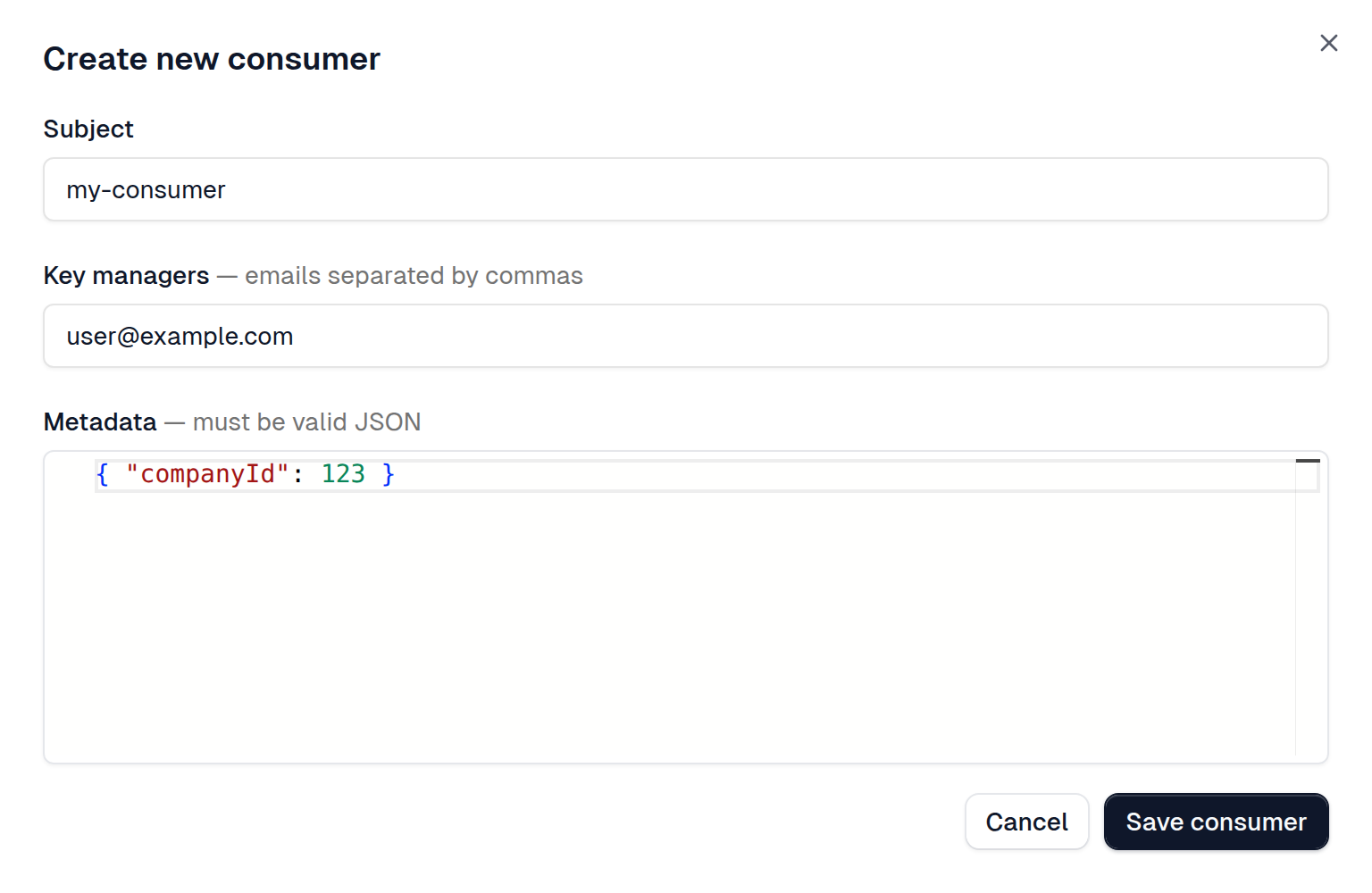
      In the Zuplo Portal, open your project and go to Services → API Keys → Consumers. Select Dev and click Create Consumer. Enter tutorial-consumer for Subject, your email under Key managers, and {} for Metadata. Click Save consumer.

      Create a consumer and assign a key manager email

    5. Verify the signed-in experience

      Sign in to the local developer portal with the key manager email. Open API Keys from your profile menu and confirm the key appears. Then open API Reference → Get all todos, click Test, expand Authentication, select tutorial-consumer, and click Send. Expect 200 OK and todos in the response.

      Test without credentials in a terminal:

      TerminalCode
      curl -i http://localhost:9000/todos

      Expect 401 Unauthorized. If browser requests fail while cURL succeeds, check the route's CORS configuration. If the key is missing, check the consumer's email and Dev bucket.

    6. Publish after review

      Follow Deploy to the edge, then open Deployment URLs → Dev Portal in the Zuplo Portal. Create a consumer in the Prod bucket to test the deployed portal.

      Replace the demo authentication with your own identity provider and restrict CORS to your portal's origin before inviting users.

    Next steps

    • Editor tutorial for the exact policy configuration and manual walkthrough.
    • Create consumers on login to automate key assignment with your own identity provider.
    • Customize navigation and add pages for your API's users.
    EditorUpdating Versions
    On this page
    • Prerequisites
    • Build your developer portal with an agent
      • Create the project
      • Ask the agent to build the portal
      • Review and open the result
      • Assign a test key
      • Verify the signed-in experience
      • Publish after review
    • Next steps