
What's New in Zuplo - November 2025
November 2025 brings significant enhancements across the Zuplo platform, with a major focus on MCP (Model Context Protocol) improvements, Dev Portal authentication options, and developer experience upgrades. This month's highlights include new MCP tool annotations support, Firebase authentication for the Dev Portal, multipart form file upload support in the API Playground, and powerful new CLI features.
Whether you're building AI-powered APIs with MCP, creating beautiful developer portals, or managing your API gateway through the CLI, this release delivers features that make your workflow faster and more powerful.
Highlights
MCP Server Enhancements
Zuplo's MCP Server capabilities received significant upgrades this month, making it easier to build sophisticated AI-ready APIs.
Tool Annotations and Metadata Support
The MCP Server handler now supports tool annotations and _meta fields, giving
you fine-grained control over how AI systems discover and interact with your API
tools.
Key capabilities:
- Tool annotations: Add hints like
readOnlyHint,destructiveHint,idempotentHint, andopenWorldHintto help AI agents understand tool behavior - Custom metadata: Include arbitrary
_metafields for additional context - Human-readable titles: Use the
titleannotation to provide friendly names for your tools
Configuration example:
See the MCP Server Tools documentation for full configuration options.
New Operations Configuration
The MCP Server handler introduces a new operations array configuration that
provides explicit control over which API operations become MCP tools. This
replaces the deprecated files, prompts, and resources configuration
options.
See the MCP Server Handler documentation for migration guidance.
Dev Portal: Firebase Authentication
The Dev Portal now supports Firebase Authentication, giving you another powerful option for managing user access to your API documentation and developer tools.
Key capabilities:
- Multiple sign-in providers: Support for Google, GitHub, Facebook, Twitter, Microsoft, Apple, Yahoo, email/password, and phone authentication
- Easy configuration: Simple setup with your Firebase project credentials
- Custom redirect URLs: Configure where users go after sign-in, sign-up, and sign-out
Configuration example:
See the Firebase Authentication documentation for setup instructions.
The Firebase authentication UI provides a seamless sign-in experience with multiple provider options. It can be customized to match the styles of your Dev Portal for a consistent look and feel.
Dev Portal: Supabase UI Authentication
The Dev Portal now includes a native Supabase UI login experience, making it even easier to integrate Supabase authentication with your API documentation.
Key capabilities:
- Multiple OAuth providers: Support for Google, GitHub, Discord, and 20+ other providers supported by Supabase Auth
- Email/password authentication: Built-in support for traditional email and password sign-up and sign-in
- Automatic route handling: Authentication routes (
/signin,/signup,/signout) are automatically created - Custom redirects: Configure where users go after sign-in, sign-up, and sign-out
Configuration example:
See the Supabase Authentication documentation for setup instructions.
Dev Portal: API Playground File Uploads
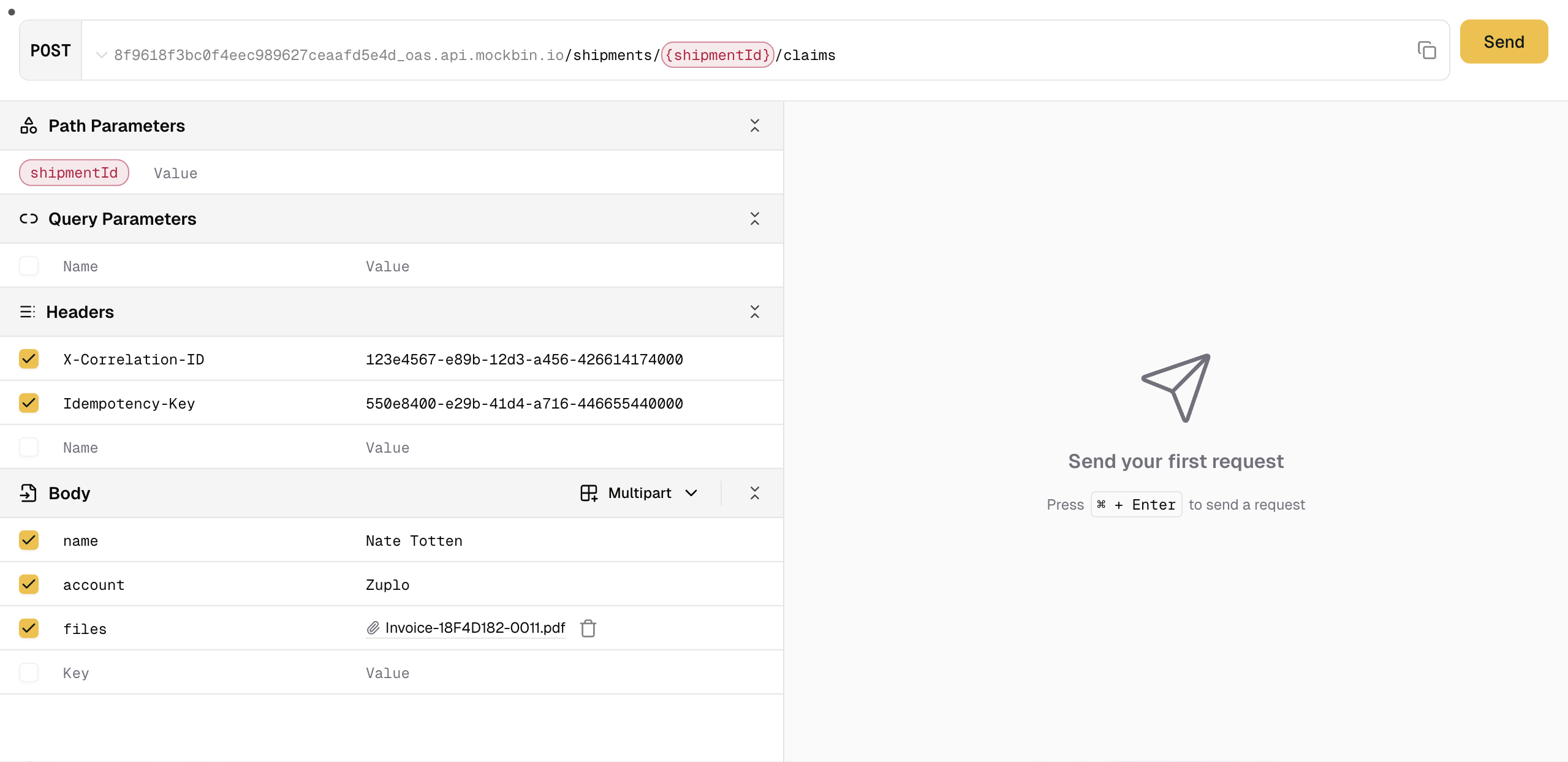
The Dev Portal's API Playground now supports multipart form data and file uploads, making it possible to test file upload endpoints directly from your documentation.
Key capabilities:
- Multipart form support: Test endpoints that accept
multipart/form-data - File upload UI: Intuitive interface for selecting and uploading files
- Mixed content: Combine file uploads with other form fields
This enhancement makes it easy for developers to test complex API endpoints without leaving your documentation.
Custom Code Examples in Dev Portal
You can now generate custom code examples for your API operations, giving your developers tailored guidance in their preferred programming languages.
Key capabilities:
- Custom templates: Define your own code example templates
- Multiple languages: Support for additional programming languages beyond the defaults
- Operation-specific examples: Customize examples per endpoint
See the API Reference documentation for configuration options.
CLI Updates
Watch Mode for OpenAPI Commands
The openapi overlay and openapi convert CLI commands now support a --watch
flag that automatically re-applies changes when your input files change. This
dramatically speeds up development workflows when working with OpenAPI
specifications.
See the OpenAPI Overlay documentation for all available options.
Zudoku Docs During Local Development
Running zup dev now automatically serves your Zudoku-powered Dev Portal
documentation alongside your API, providing a complete local development
experience.
Dev Portal Updates
Improved OpenAPI Schema Handling
The Dev Portal now handles allOf schemas more intelligently, providing cleaner
documentation for complex API schemas.
Lazy Syntax Highlighting
For APIs with large numbers of operations, syntax highlighting is now applied lazily, improving initial page load times and overall performance.
Auth0 Prompt Configuration
You can now configure the prompt parameter for Auth0 authentication, including
the option to disable the "always prompt login" behavior.
Remember Skip Login
A new "Remember skip login" checkbox option helps streamline the authentication experience for returning users.
llms.txt Support
The Dev Portal now supports generating llms.txt files and markdown output,
making your API documentation more accessible to AI systems and LLMs.
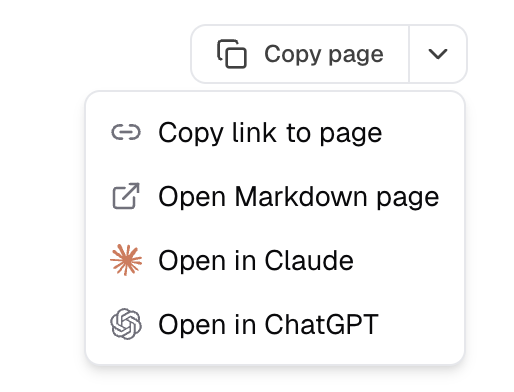
Copy Page Button
A new "Copy page" button makes it easy for users to copy entire documentation pages, improving the developer experience when sharing content.
Portal & CLI Updates
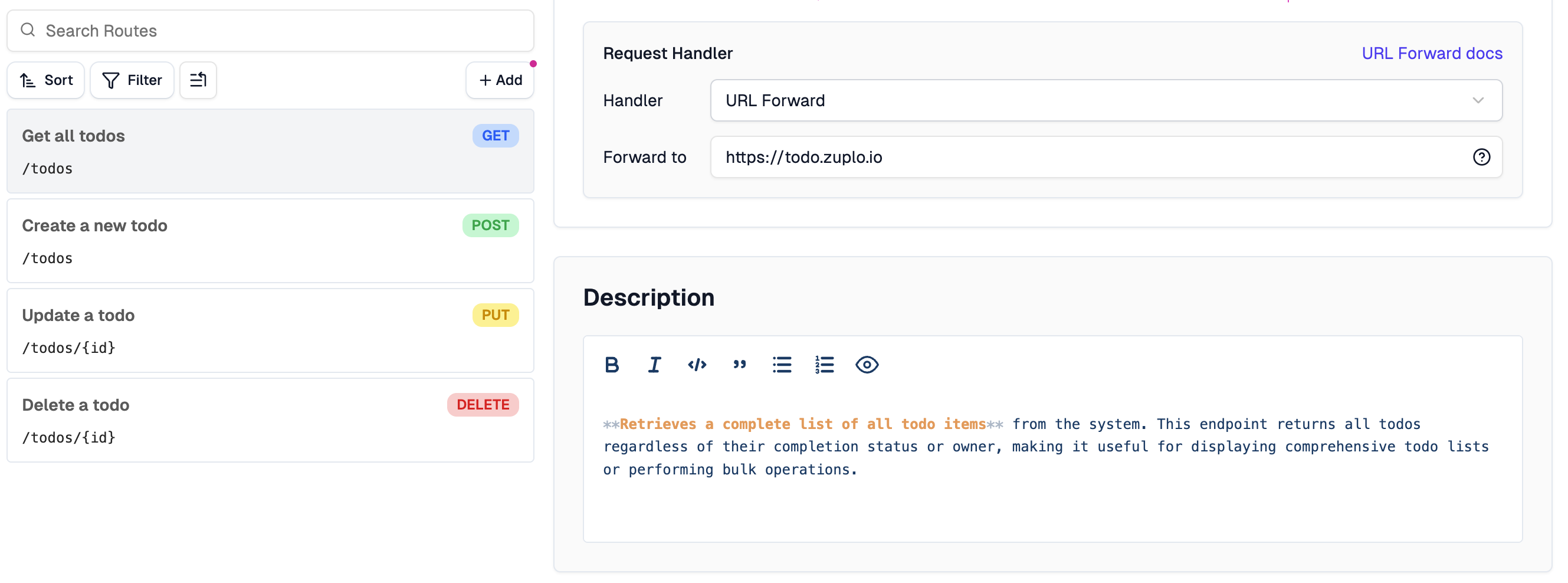
Route Description Editor
A new markdown editor for route descriptions makes it easier to add rich documentation directly in the route configuration.
Custom AI Providers
The AI Gateway now supports custom AI providers, giving you flexibility to integrate with any AI service beyond the built-in providers.
Source Control Dialog Updates
The source control integration dialogs received styling updates and usability improvements for a more consistent experience across GitHub, GitLab, Bitbucket, and Azure DevOps.
Bug Fixes
- Dev Portal: Fixed an issue where the API Playground would set an undefined body for GET and HEAD requests
- Dev Portal: Fixed style issues with consecutive paragraphs in documentation
- Dev Portal: Fixed scroll overflow in the SyntaxHighlight component
- Dev Portal: Fixed infinite re-renders caused by
invalidateCachenot being memoized - Dev Portal: Fixed server resolution hierarchy and "Other Endpoints" bug in OpenAPI docs
- Dev Portal: Fixed SSR data corruption with large JSON payloads
- Portal: Fixed MCP virtual server copy URL button functionality
- Portal: Fixed dialog select hover behavior
- Portal: Fixed import operation handling
- Portal: Fixed overflowing text in various UI components
- Runtime: Fixed deleting deployments when a branch is deleted
- Runtime: Fixed GitHub status labels for consistency
- Runtime: Fixed v2 routing for root pages
Documentation Updates
This month we added or improved documentation for:
- Firebase Authentication Setup - Complete guide for Firebase Auth integration
- MCP Server Tools - Updated with annotations and metadata support
- OpenAPI Overlays Guide - Comprehensive guide for using OpenAPI overlays
- Supabase Authentication - Updated documentation