

Cross App Access quickstart
- Applies to
- Gatewayruntime for API, AI, and MCP gateways
- Hosting
- Managed EdgeManaged DedicatedSelf-Hosted
This quickstart builds a working Cross App Access (XAA) gateway entirely in the Zuplo Portal. An MCP client connects to the gateway with ordinary OAuth; the gateway then performs the XAA token exchange against Okta's hosted xaa.dev playground and reaches the protected Todo0 MCP server on the user's behalf.
There is no repository to clone and no identity tenant to stand up. Everything runs in the portal against the public xaa.dev playground.
Why xaa.dev
xaa.dev is Okta's hosted Cross App Access playground: a public identity provider, resource authorization server, and Todo0 MCP server that are already wired together for the XAA token exchange. Standing up your own XAA stack means provisioning an IdP, a resource authorization server, and a protected MCP server — and configuring the trust relationships between all three. The playground gives you all of that for free, so today it's the fastest way to see a real Cross App Access flow end to end. Once the gateway works against xaa.dev, swapping in your own identity provider and upstream is just a change of endpoints and credentials.
What you'll build
A single gateway route with two policies does all the work:
- An MCP OAuth policy (
mcp-oauth-inbound) secures the client → gateway leg. The client authenticates to the gateway with plain MCP OAuth — this leg is not XAA. - A token-exchange policy (
mcp-token-exchange-inbound) inid-jagmode performs the outbound XAA exchange to the upstream: it mints an ID-JAG at the playground identity provider (IdenX), redeems it at the resource authorization server, and calls the Todo0 MCP server with the resulting access token.
The XAA exchange happens entirely on the gateway's outbound side. See the overview for the full sequence.
Prerequisites
- A Zuplo account
- A free account on xaa.dev
- MCP Jam — a browser-based MCP client used to drive the flow. Any MCP client that supports OAuth works.
Steps
-
Create a Zuplo project.
In the Zuplo Portal, select New Project and create an empty API Gateway project. Name it
xaa-quick-start.On the project Overview page, copy the deployment URL shown at the top (for example,
https://xaa-quick-start-main-abc1234.d2.zuplo.dev). This is your gateway's public origin — you'll need it for the next two steps.Throughout this guide, replace
https://your-gateway.zuplo.devwith your project's actual deployment URL. -
Register a requesting app on xaa.dev.
Sign in to xaa.dev and open the developer registration page. Enter your email, then select Register New App and fill in:
-
Application Name — anything, for example
xaa-quick-start gateway. -
Redirect URIs — your gateway's OAuth callback:
Code
Under Resource Connections, select Todo0 MCP Server, keep both scopes (
todos.readandmcp.access) checked, and select Add Connection. Then select Register App.https://xaa.dev/developer/register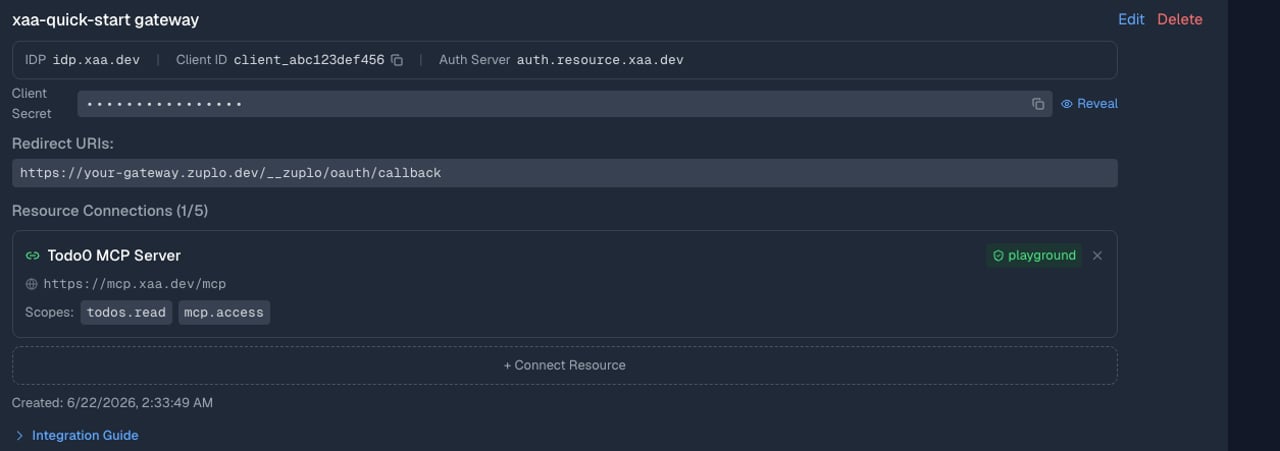
Registration shows four values. Copy all of them — the secrets are shown only once:
xaa.dev value Used for Client ID XAA_CLIENT_IDClient Secret XAA_CLIENT_SECRETResource Client ID XAA_RESOURCE_AS_CLIENT_IDResource Client Secret XAA_RESOURCE_AS_CLIENT_SECRETThe playground identity provider (IdenX) accepts any email with no password, so you can sign in as any test user when you drive the flow.
-
-
Add the gateway configuration.
Open the project's code editor (the Code tab). The gateway needs three files.
First, define the two policies. Open
config/policies.json(use the rawpolicies.jsontab, not the visual Policy List) and replace its contents:config/policies.jsonThe IdP, resource authorization server, and upstream endpoints are wired to the playground here. Only the credentials and the gateway audience are environment-driven, so you can plug in your own xaa.dev app. For every option, see the configuration reference.
Next, add the route that exposes the gateway. Open
config/routes.oas.json(the rawroutes.oas.jsontab) and replace its contents:config/routes.oas.jsonThe
McpProxyHandlerforwards the request to the upstream Todo0 server, and both policies run inbound — first the MCP OAuth check, then the XAA exchange.Finally, register the MCP Gateway plugin. In the file tree, right-click the
modulesfolder, select New Runtime Extension, and replace the generated file's contents:modules/zuplo.runtime.tsSave each file. The build fails until the environment variables exist — that's the next step.
-
Set the environment variables.
Open Settings → Environment Variables and add each variable below with Add variable. Mark the two
*_SECRETvalues as Secret so they're encrypted and hidden after saving. Leave all three environments (Production, Preview, Development) selected.Variable Value Secret GATEWAY_AUDIENCEYour gateway's deployment URL (for example, https://your-gateway.zuplo.dev)No XAA_CLIENT_IDClient ID from the xaa.dev app No XAA_CLIENT_SECRETClient Secret from the xaa.dev app Yes XAA_RESOURCE_AS_CLIENT_IDResource Client ID from the Todo0 connection No XAA_RESOURCE_AS_CLIENT_SECRETResource Client Secret from the Todo0 connection Yes Saving an environment variable triggers a new deployment. Once it finishes, the gateway is live.
-
Connect with MCP Jam and list the todos.
Open the MCP Jam web inspector, go to Connect, and select Add Server:
- Server Name —
xaa-quick-start - Connection Type —
HTTPS, with the route URLhttps://your-gateway.zuplo.dev/mcp/todo0 - Authentication —
OAuth
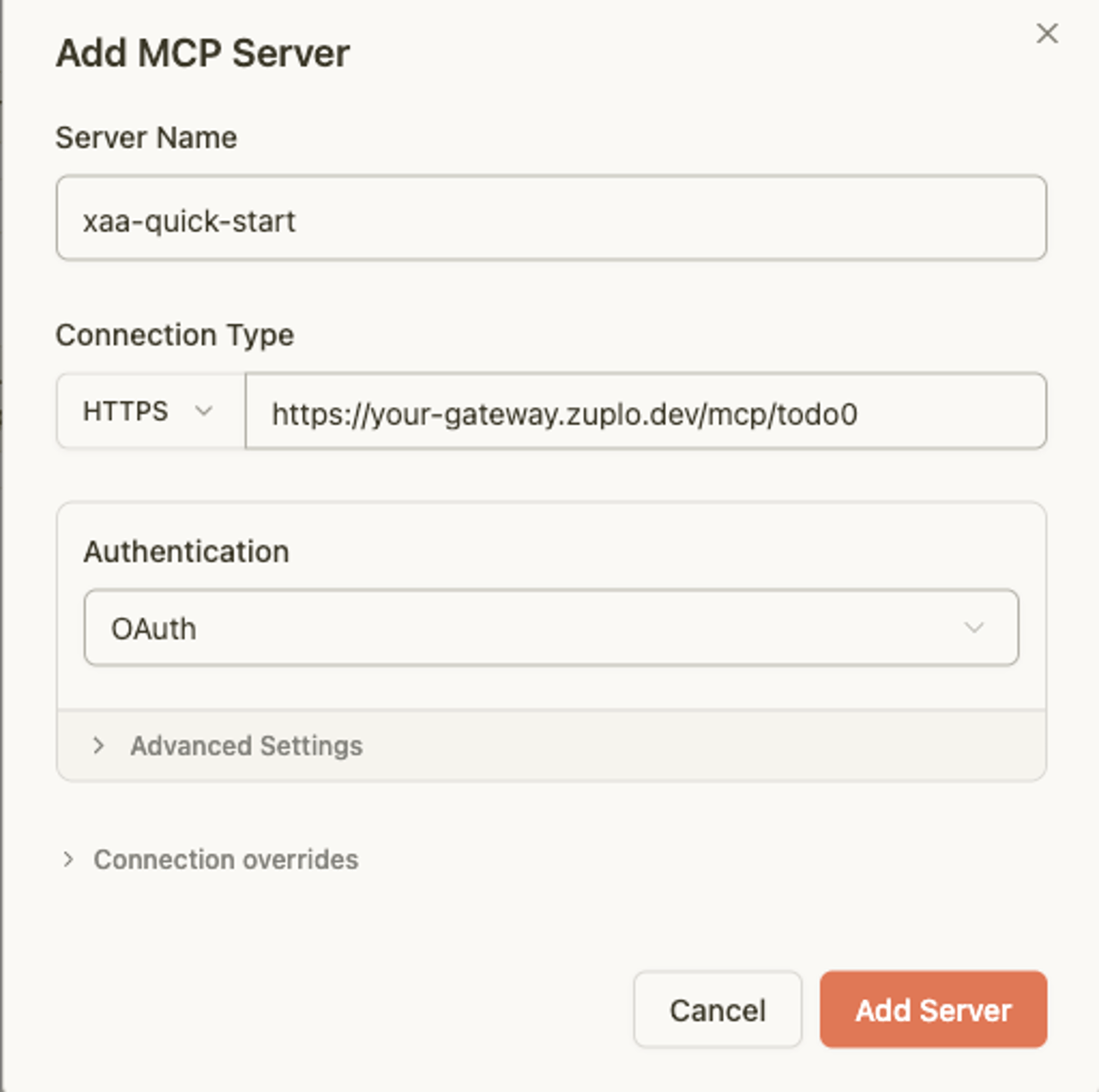
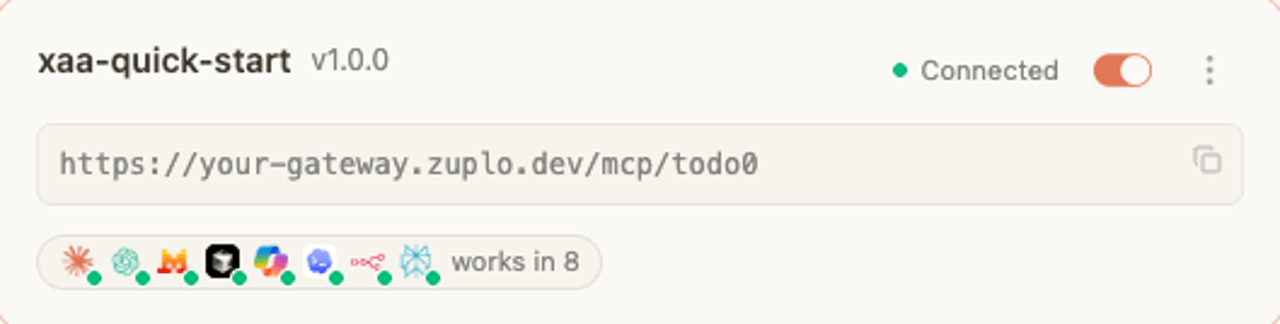
Select Add Server. MCP Jam starts the OAuth flow and redirects you to sign in. Sign in at the IdenX screen (any email, no password) and approve the consent screen. MCP Jam returns to the inspector and the server shows as Connected.
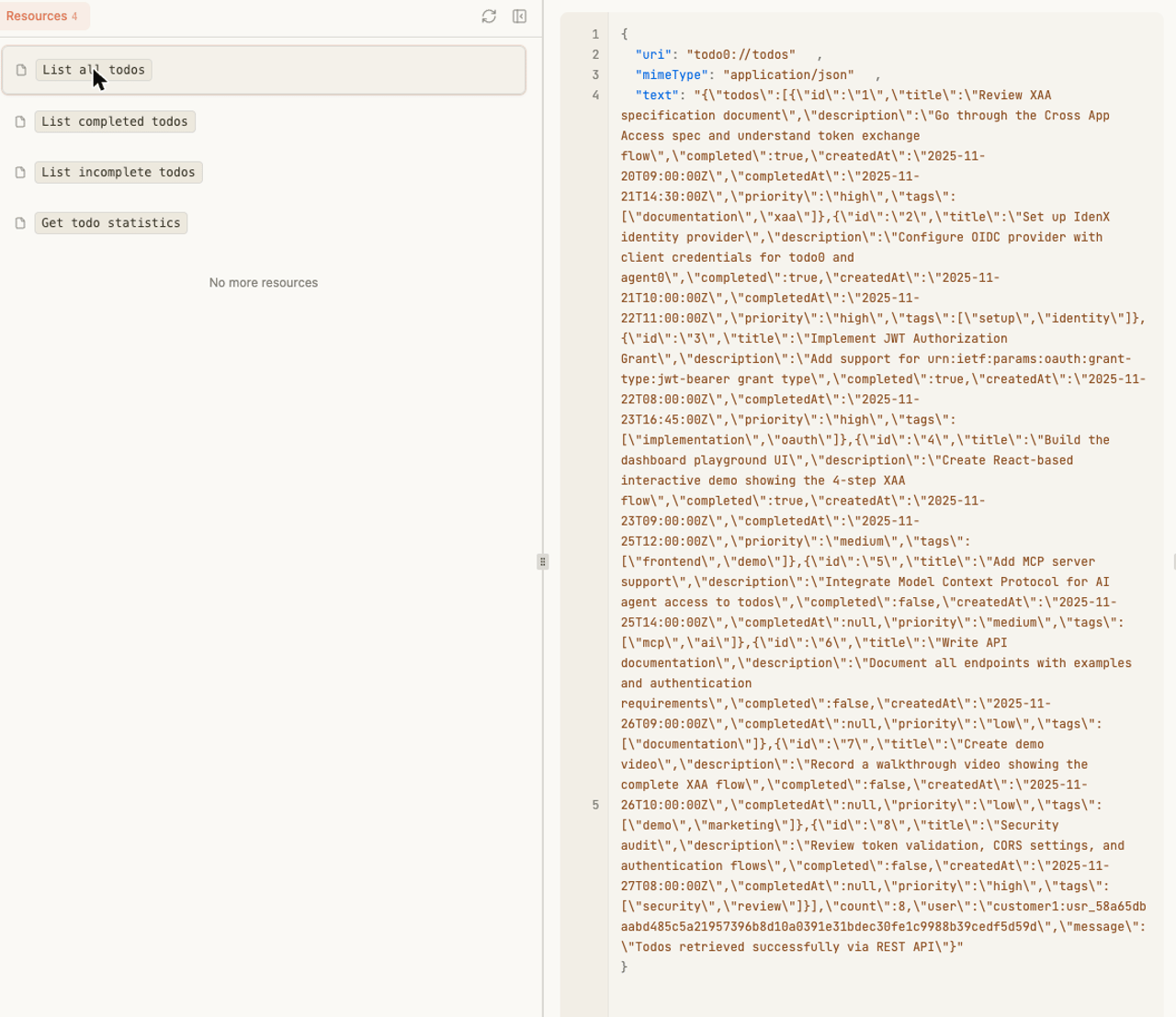
Open the Resources panel and select List all todos. The todos come back as JSON — the agent never touched the XAA protocol. Behind the scenes the gateway minted an ID-JAG from the playground IdP, redeemed it at the resource authorization server, and called the Todo0 MCP server with the resulting access token.
- Server Name —
Verify from the command line (optional)
To confirm the gateway is deployed and secured without a client, check its OAuth metadata and the protected route:
Code
Next steps
- Configuration reference — the full
idJagoption set. - Overview — the protocol and the gateway's role explained.