---
title: "Using PropelAuth to secure your API at the Gateway"
description: "Learn how to quickly setup PropelAuth authentication on your API, at the API Gateway layer."
canonicalUrl: "https://zuplo.com/blog/2023/09/14/propel-auth-zuplo-jwt"
pageType: "blog"
date: "2023-09-14"
authors: "nate"
tags: "JWT API Authentication, Tutorial"
image: "https://zuplo.com/og?text=Using%20PropelAuth%20to%20secure%20your%20API%20at%20the%20Gateway"
---
API Gateways often serve as centralized hubs for managing authentication and
authorization. This approach simplifies the security model, providing a single
layer that ensures all incoming requests are correctly authenticated and
authorized. It does this irrespective of differences in backend architectures,
where the microservices are running, or which teams developed them.
In this tutorial, we'll demonstrate how to implement authentication and
authorization for your API on Zuplo using PropelAuth. We'll begin with the
built-in PropelAuth policy to authenticate requests carrying a JWT token. Then,
we'll explore crafting a custom policy to exercise granular control over API
access based on organizations and roles set in PropelAuth.
## PropelAuth Setup
First, you'll need a [PropelAuth account](https://www.propelauth.com/). Once
registered, you can proceed to construct a simple front-end client that
interacts with your Zuplo API. The most straightforward way to do this is by
following the initial steps of the PropelAuth
[Quickstart guide](https://docs.propelauth.com/getting-started/quickstart-fe).
After completing the quickstart, you'll have a functional client application for
login purposes. We'll revisit this client after setting up the API side of
things.
## Setup PropelAuth Policy
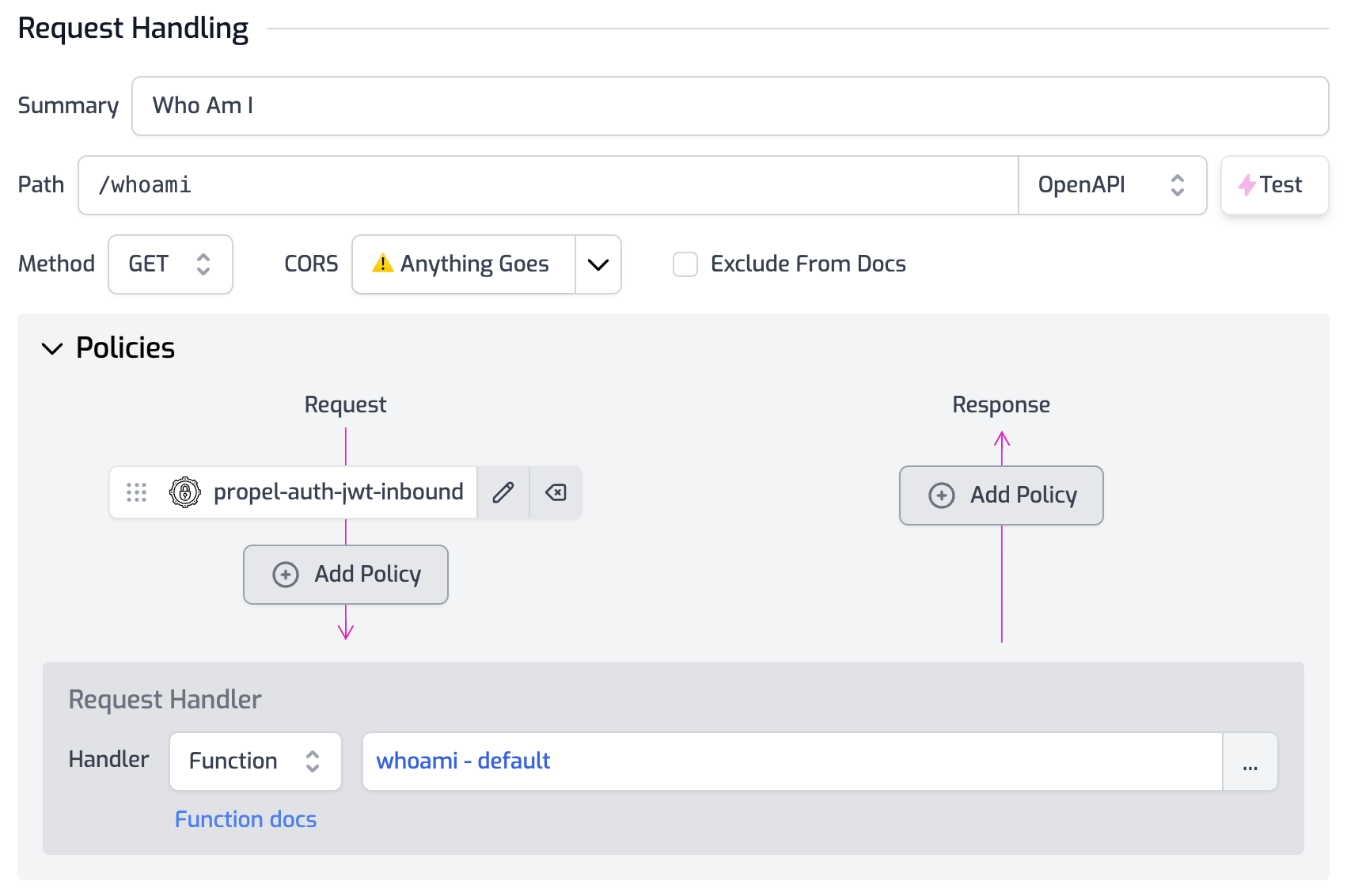
Create a route named `/whoami`` in your Zuplo project and protect it with a
PropelAuth policy. For detailed guidance on implementing a PropelAuth policy,
please refer to the
[policy documentation](/docs/policies/propel-auth-jwt-inbound).
In this example, we'll utilize a
[custom request handler](/docs/handlers/custom-handler) that simply returns the
user's information:
```ts
import { ZuploContext, ZuploRequest } from "@zuplo/runtime";
export default async function (request: ZuploRequest, context: ZuploContext) {
return request.user;
}
```
:::info{title="Zuplo Project Quickstart"}
If you haven't set up a Zuplo project yet, you can refer to Zuplo's
[quickstart guide](/docs/articles/step-1-setup-basic-gateway) before returning
to this tutorial.
:::
## Call the API
Switch back to your client application to add a new page that employs the
PropelAuth access token to invoke the `/whoami`` API endpoint on your Zuplo
project. Although our example uses Next.js, you can use any client-side
framework:
```ts
import { withAuthInfo } from "@propelauth/react";
import { useEffect, useState } from "react";
const WhoAmI = withAuthInfo((props) => {
const [apiResult, setApiResult] = useState();
const [error, setError] = useState();
useEffect(() => {
fetch("https://propel-auth-main-727cf9c.d2.zuplo.dev/whoami", {
headers: {
authorization: `Bearer ${props.accessToken}`,
},
})
.then((response) => response.json())
.then((result) => {
console.log(result);
setApiResult(result);
})
.catch((err) => setError(err));
}, []);
if (!apiResult) {
return Loading...
;
}
if (error) {
return Error ${error}
;
}
return (
{JSON.stringify(apiResult, null, 2)}
);
});
export default WhoAmI;
```
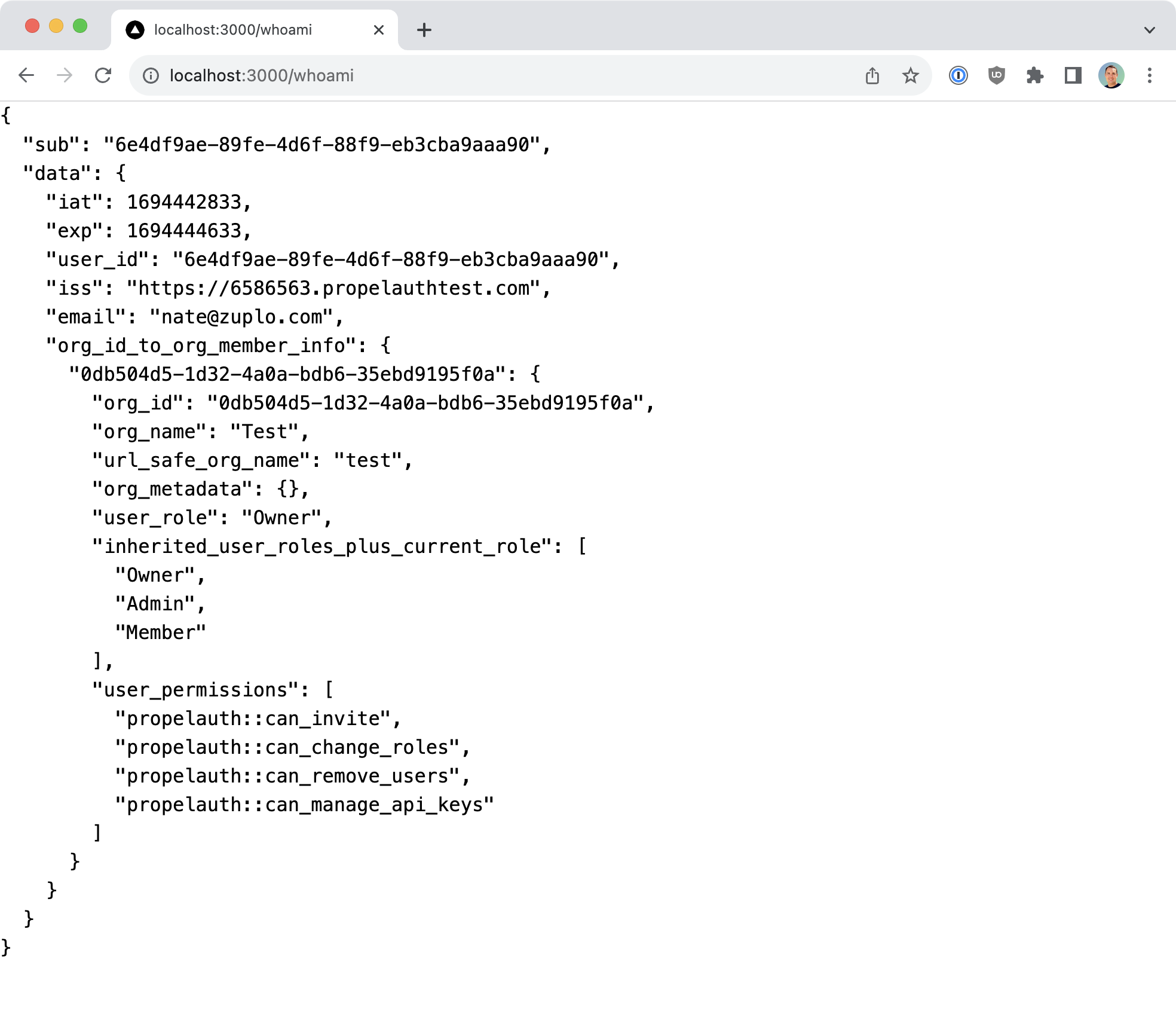
If everything is set up correctly, you'll see the API response displayed on your
WhoAmI page.
You can further test the behavior by logging out from the home page and
navigating back to /whoami. If you do, the server should return an unauthorized
response.
```json
{
"type": "https://httpproblems.com/http-status/401",
"title": "Unauthorized",
"status": 401,
"detail": "Invalid token",
"instance": "/whoami",
"trace": {
"timestamp": "2023-09-11T14:36:43.362Z",
"requestId": "73992c90-ddf5-41b3-ad58-8270163d0a92",
"buildId": "7358719b-e917-4cc4-8eee-59f387e5f365",
"rayId": "8050a502d536200a-IAD"
}
}
```
## Authorization with PropelAuth Tokens
One of PropelAuth's standout features is the capacity to assign users to
specific [organizations](https://docs.propelauth.com/overview/organizations) and
designate [roles](https://docs.propelauth.com/overview/roles) within those
organizations. These attributes are included in the authentication token sent to
the Zuplo API. Therefore, you can create
[custom policies](/docs/policies/custom-code-inbound) to enforce various types
of authorization.
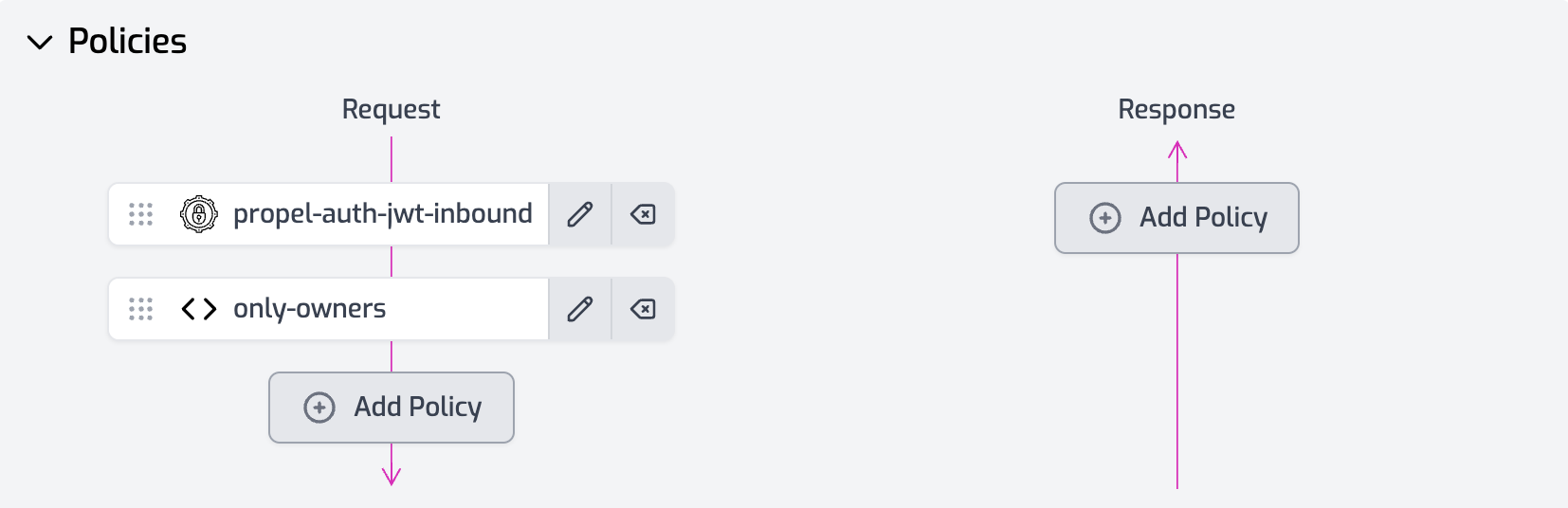
For instance, if you want to restrict access to a particular Zuplo API route to
users with an "Owner" role, you could implement a simple policy as shown below:
```ts
import { ZuploContext, ZuploRequest, HttpProblems } from "@zuplo/runtime";
export default async function (request: ZuploRequest, context: ZuploContext) {
const firstOrg: any = Object.entries(
request.user.data.org_id_to_org_member_info,
)[0];
if (firstOrg.user_role !== "Owner") {
return HttpProblems.forbidden(request, context, {
detail: "Only owners are allowed to call this route",
});
}
}
```
## Conclusion
We've seen how the integration of Zuplo and PropelAuth simplifies the process of
securing your API and implementing robust authorization controls. Additional
features, such as [rate limiting](/docs/policies/rate-limit-inbound) and
[geo-location filtering](/docs/policies/geo-filter-inbound), can be easily
integrated into your API via Zuplo.
Moreover, PropelAuth offers advanced functionalities like
[user impersonation](https://docs.propelauth.com/how-tos/user-impersonation),
empowering your internal users or support team to log in as customers for
troubleshooting purposes.
This tutorial merely scratches the surface of what you can accomplish with Zuplo
and PropelAuth working in tandem. The possibilities for securing and enhancing
your APIs are vast, providing a scalable and flexible approach to API
management.