

Create Consumers in a Specific Bucket
Every API key consumer in Zuplo lives inside a bucket. Each project's default buckets are scoped to a specific environment, though custom buckets created through the Developer API can be account-scoped instead. This guide shows how to select the target environment's bucket on the API Keys → Consumers page and create a consumer inside it.
For general API key management (creating consumers, viewing keys, assigning managers), see Manage Keys in the Portal.
Prerequisites
- A Zuplo project with at least one deployed environment (see the getting started tutorial)
- The API Key Authentication policy configured on your routes
- Permission to manage API key consumers in your project
Understanding buckets and environments
Zuplo creates three buckets for every project. Each isolates its own consumers and keys, so a key created in one bucket only authenticates requests against the matching environment.
| Bucket | Environment | Git branch |
|---|---|---|
| Production | Production | Default branch |
| Preview | Preview | Non-default branches |
| Development | Development | Local development |
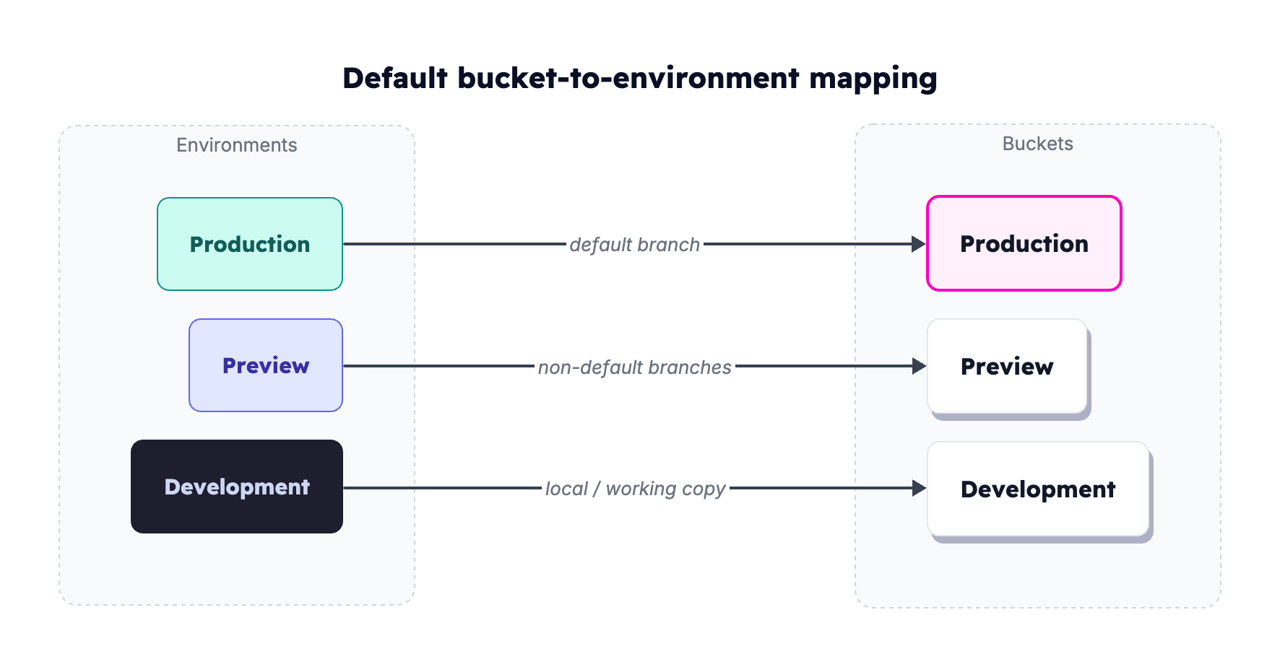
For deeper detail, see Buckets and Environments.
When you need a non-default bucket
- Per-environment isolation. Keep staging keys out of production.
- Custom buckets. Your team created extra buckets (QA, per-tenant) via the Developer API.
- Shared buckets across projects. Enterprise setups where one bucket backs several projects.
Find your buckets in the portal
-
Open your project in the Zuplo Portal.
-
Copy the active bucket's ID from the Bucket ID pill beside the environment badge under the API Key Service heading.
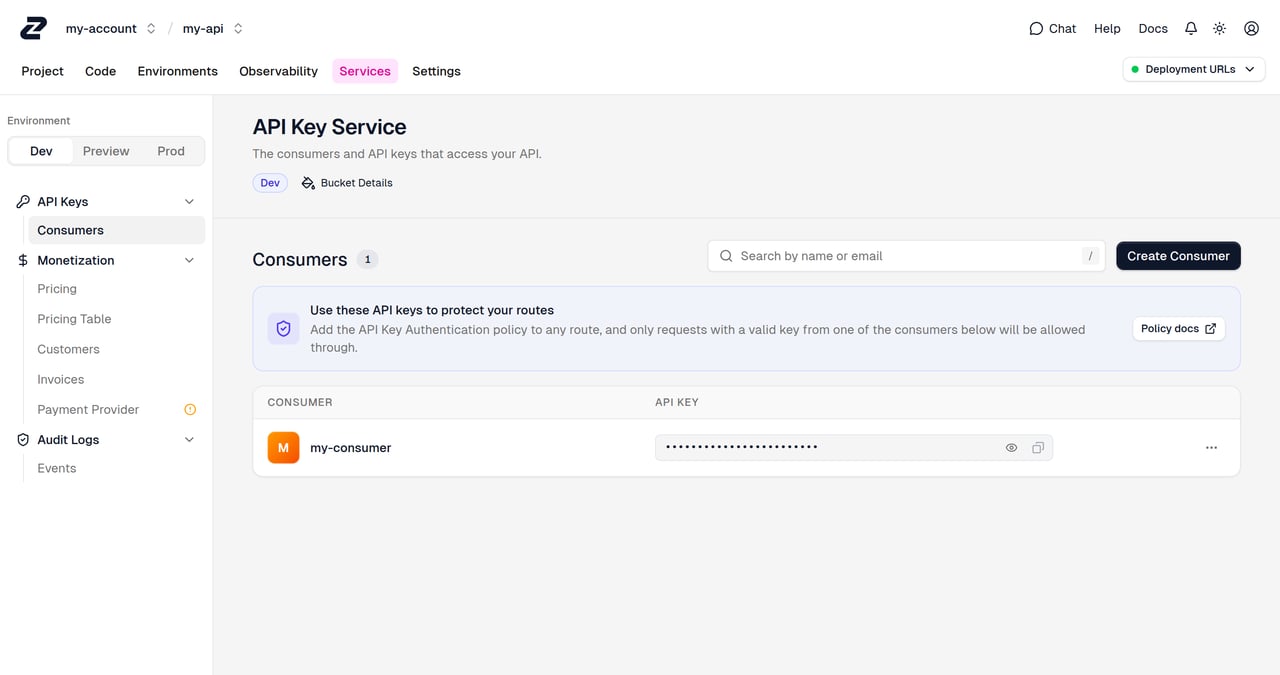
The Bucket ID pill shows the ID of the bucket that's currently active for
the selected environment. Bucket IDs start with bckt_ — this is the value the
API Key Authentication policy's bucketId option takes.
Create a consumer in a specific bucket
-
On the API Keys → Consumers page, choose the target environment with the Dev / Preview / Prod switcher.
-
Click Create Consumer and fill in the form below.
-
Click Save consumer, then confirm it appears in the list.
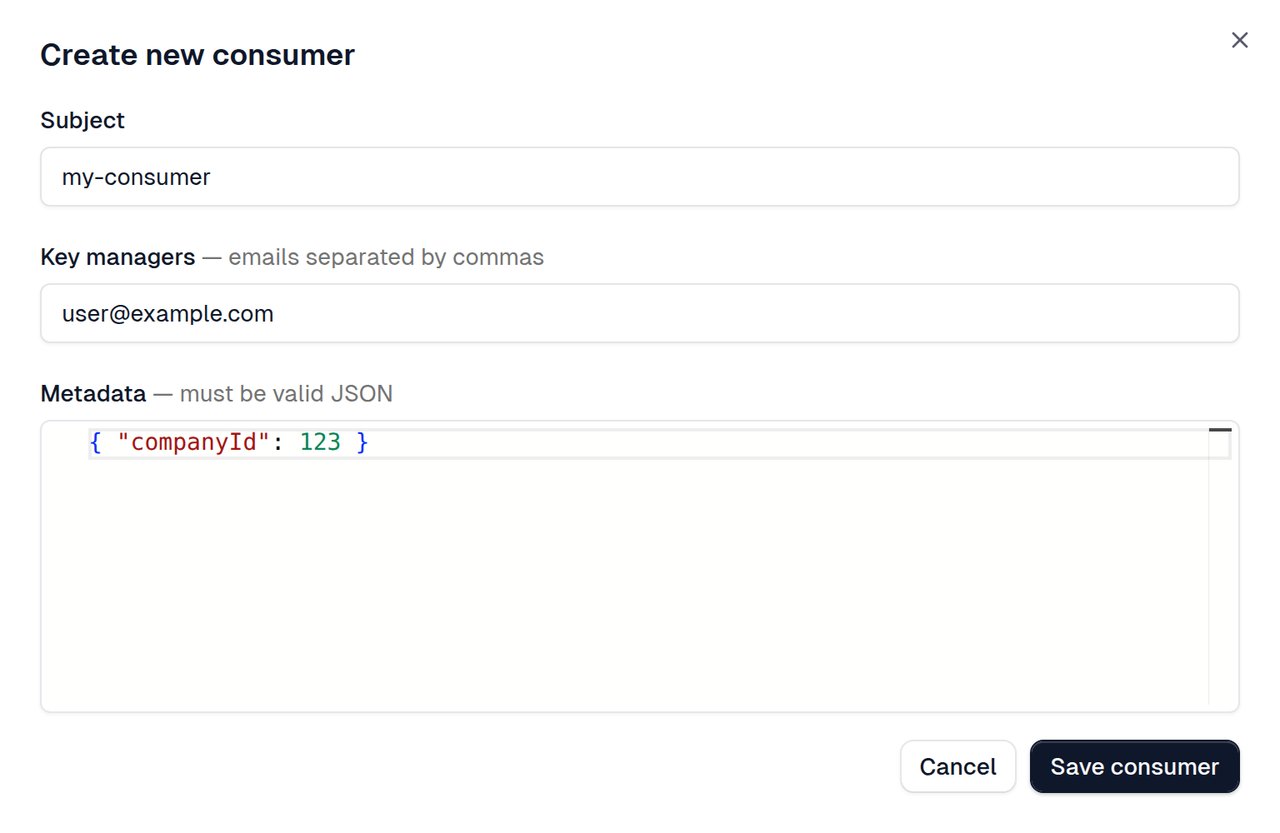
Consumer form fields
| Field | Required | Runtime value | Notes |
|---|---|---|---|
| Subject | Yes | request.user.sub | Unique within the bucket. Identifies the consumer in logs and policy code. |
| Key managers | No | n/a | Comma-separated emails of users who can manage this consumer's keys via the Developer Portal. |
| Metadata | No | request.user.data | Valid JSON object. Plan info, customer IDs, anything your policies need at runtime. |
Once created, the consumer's API key only authenticates requests routed through an environment whose API Key Authentication policy resolves to that same bucket.
How bucket selection affects key validation
The API Key Authentication policy decides which bucket to validate keys against. With no bucket set, the policy defaults to the bucket that matches the current environment:
| Environment | Default bucket |
|---|---|
| Production | Production |
| Preview | Preview |
| Development | Development |
For a custom bucket, set bucketId on the policy so it checks the right one:
Code
The policy's bucketName option is deprecated. Policies that set it keep
working, but the runtime logs a warning — use bucketId instead.
If the consumer lives in one bucket but the policy checks a different bucket,
the key is not found and the request returns 401 Unauthorized. Make sure the
policy's bucket matches the bucket where you created the consumer.
Using the Developer API instead
To script consumer creation as part of an onboarding flow or CI/CD pipeline, use the Zuplo Developer API:
Code
Replace $ACCOUNT_NAME with your Zuplo account name, $BUCKET_ID with the
target bucket's ID, and $ZAPI_KEY with your
Zuplo API key. The bucket name also works here,
but it's deprecated. For more information, see
Bucket identifiers. Full reference
at the Developer API documentation.
Troubleshooting
My API key returns 401 Unauthorized
Usually a bucket mismatch. The consumer is in one bucket, but the policy checks a different one.
- In the portal, open Services → API Keys → Consumers and confirm which bucket holds the consumer.
- Open the route's API Key Authentication policy. If
bucketId(or the deprecatedbucketName) is set, verify it matches the consumer's bucket. If neither is set, the policy uses the current environment's default bucket. - Either recreate the consumer in the correct bucket, or update the policy's
bucketIdto match.
I don't see the bucket I'm looking for
- Environment. Switch the Dev / Preview / Prod toggle to the environment whose bucket you're looking for.
- Custom buckets. Buckets created via the Developer API are account-scoped, not environment-scoped, so the sidebar's environment switcher doesn't surface them. Confirm they exist with the list buckets API endpoint and manage them through the API.
- Permissions. Account-level roles control access to the Services section. Confirm your role can view and manage API key consumers.
I created a consumer but it doesn't appear in the expected environment
Consumers belong to buckets, not environments directly. A consumer created while viewing the Preview environment sits in the preview bucket and only authenticates preview environments. Switch the Dev / Preview / Prod toggle to the matching environment to locate it.
Related documentation
- Buckets and Environments: How buckets map to environments
- Manage Keys in the Portal: General portal management walkthrough
- API Key Authentication policy: Policy
configuration reference including
bucketId - Use the Developer API: Programmatic consumer management
- Create an API Key Consumer on Login: Automatically create consumers when users sign in
- Environments: How environments work in Zuplo