

The question that surfaces last from teams shipping a first paid API is the one they should have asked first: I want to rate limit and monetize my API, how does a developer portal help with any of that? Most treat the three as separate jobs. The gateway counts requests, Stripe takes the money, the portal hosts the docs. In any setup worth running, the portal does more than that.
- You are building a paid API and treating rate limits, billing, and docs as three separate problems
- You meter usage in one place and surface API keys somewhere else and expect customers to map between the two
- You are evaluating whether the portal vendor and the gateway vendor need to be the same vendor
Three layers, one customer surface
A paid API runs on three layers. The gateway enforces rate limits and quotas at the request path. The billing system tracks subscriptions and takes payment. The developer portal is where customers see plans, pick one, get an API key, and watch their usage burn down. The portal is the one the customer actually opens.
Without it, the other two layers exist only in your config files and your Stripe dashboard. A customer knows they bought a plan but has no way to see how close they are to the limit until a 429 lands in their logs. They cannot rotate a key themselves. They cannot upgrade without somebody on your team filing a ticket for them.
What the portal adds to rate limiting
A rate limit policy on its own is a counter. It binds requests to a key,
typically the API key or a JWT subject behind it, and rejects when the counter
trips. In Zuplo, this is the rate-limit-inbound policy, configured with
rateLimitBy: "user" so the limit attaches to the consumer (Zuplo’s name for
the customer record an API key belongs to) rather than the source IP. The
reasons for not binding to IP are covered in
why rate limiting by IP breaks your API.
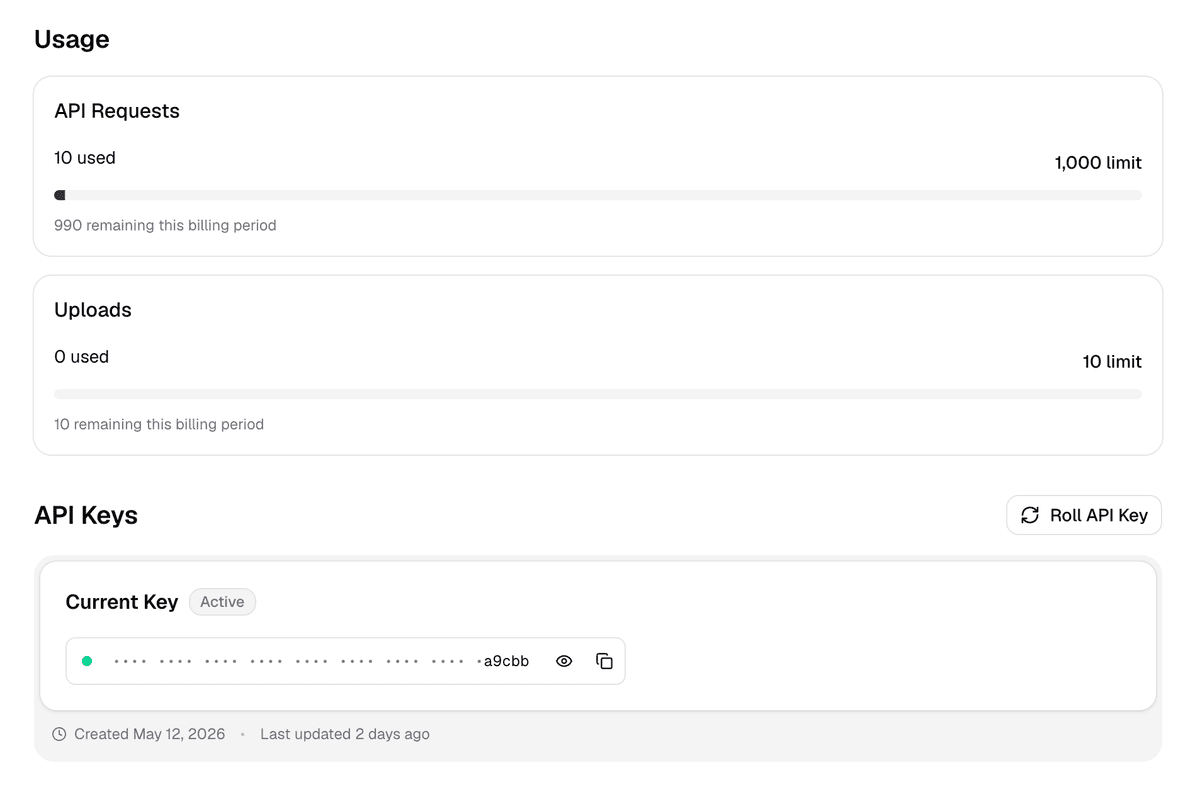
The portal makes that limit visible to the person paying for it. A customer signs up, gets an API key tied to their consumer record, and the same screen shows what plan the key is on and how much of the window has been used.
Tiered limits (free vs pro vs enterprise) work by storing the plan on the
consumer as metadata. To read that metadata at request time, switch
rateLimitBy from "user" to "function" and point the policy at a TypeScript
file that returns a different requestsAllowed for each plan. The route config
looks like this:
The identifier module reads metadata.plan off the consumer and returns the
matching limit. The portal is what put that metadata there.
How to rate limit an API walks
through the OpenAPI to policy mapping end to end.
What the portal adds to monetization
Monetization without a portal is a spreadsheet. You define plans somewhere, wire them into your gateway, and somebody on your team emails contracts to customers one at a time. That works for enterprise deals and falls apart everywhere else.
The portal turns those plan definitions into a self-serve product. A pricing page lists the plans.
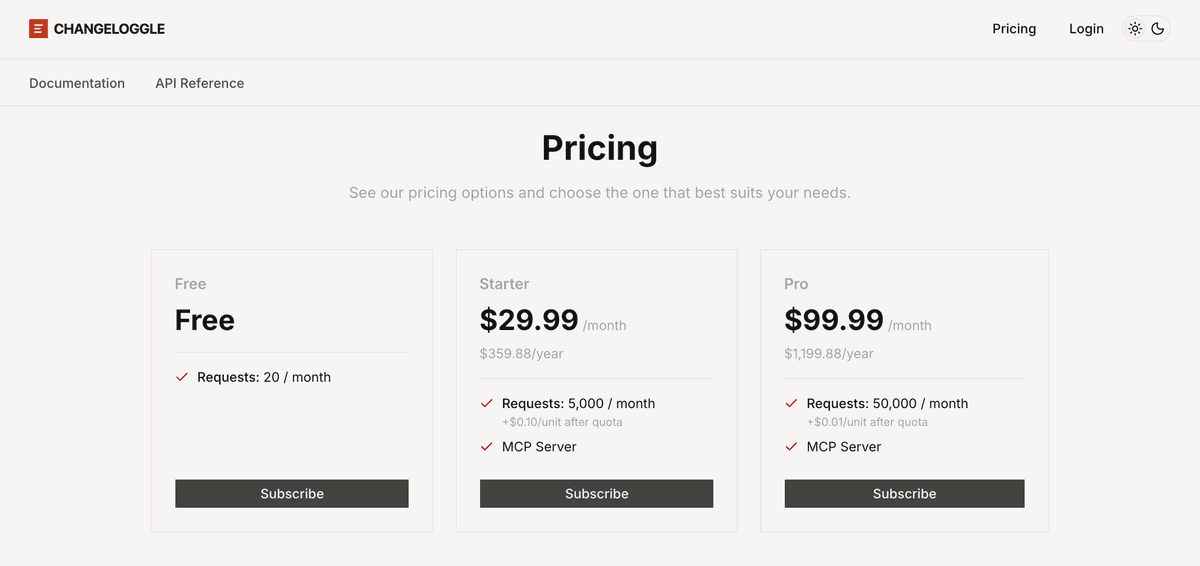
A customer picks one, runs through Stripe Checkout, and gets a subscription that provisions an API key with the right entitlements attached.
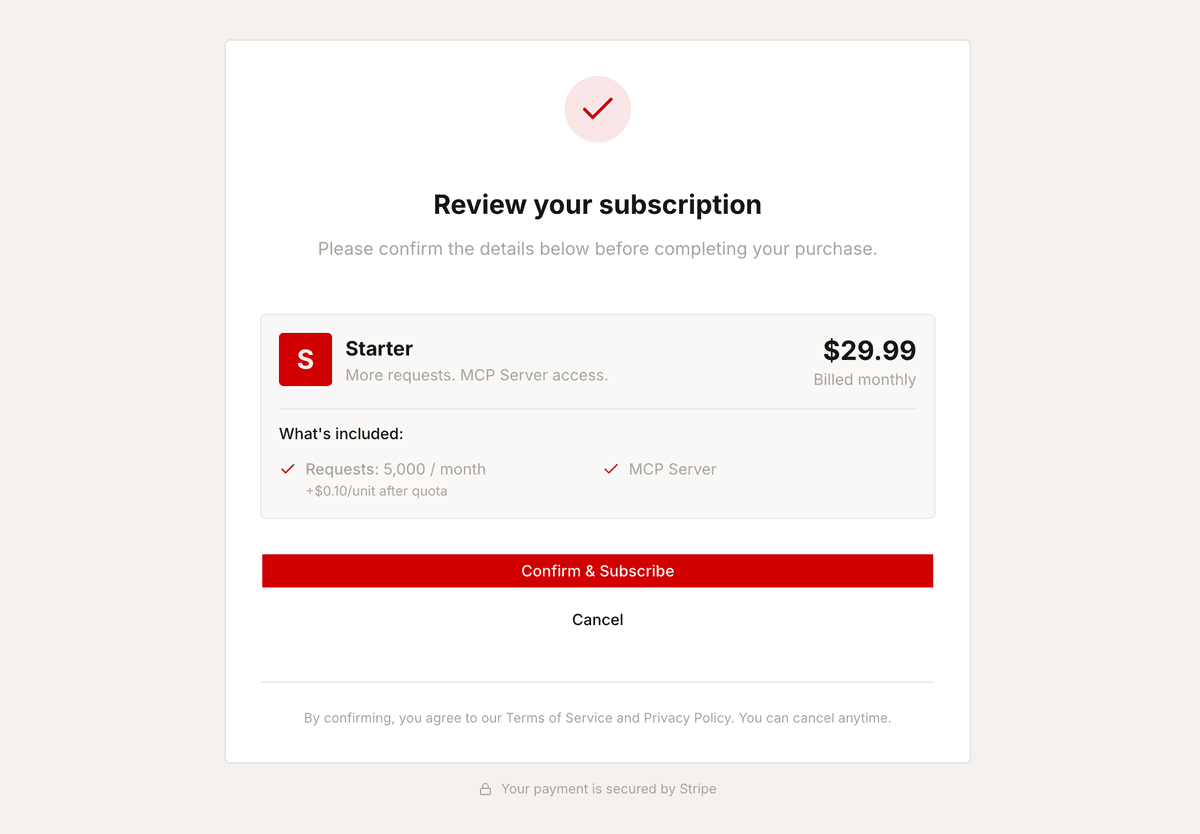
Entitlements are the per-plan caps the gateway enforces, things like “100,000 requests a month” or “1 million tokens included.” Each can be a hard limit (block with a 403 when the cap is hit) or a soft limit (let the request through and bill the overage).
The gateway reads those entitlements on every request through the
monetization-inbound policy, which finds the subscription on the consumer the
upstream API key auth resolved to. The portal shows the live picture beside the
key: the current plan, how much of each entitlement has been used this period,
when the period resets, and where the upgrade button lives.
The split with Stripe stays clean. Stripe handles checkout, the billing portal, tax, and invoices. Zuplo handles plans, metering, entitlements, and access. The mechanics of how meters and quota enforcement hang together are in API monetization, metering, and quota enforcement, and the structure of plans, phases, and rate cards is in API pricing plans, phases, and rate cards explained.
What Kong, Apigee, and Tyk leave you to wire
This is the part most articles skip. Kong, Apigee, and Tyk all ship rate limiting, some shape of developer portal, and some monetization story. The pieces are separately licensed, deployed, or integrated.
In each stack the advanced rate limiter, the monetization piece, and the portal show up as separate plugins, modules, or products, and getting all three to share a consumer identity is integration work for somebody. Stripe and Moesif fill the billing and analytics gap for stacks without native monetization, adding a fourth vendor to the chain.
The cost of that chain lands on whoever stitches it together. An API key issued in the portal needs a manual sync to appear in the billing system. A plan upgrade reflected in Stripe lags the portal’s usage display. A key rotation drops the consumer’s tier metadata along the way. Solvable, but paid for in engineering time, and visible to customers as small inconsistencies they cannot explain.
What this looks like end to end
A working setup ties the three layers together by sharing one consumer identity across the gateway, the portal, and the billing system. In Zuplo, that identity is a consumer record stored in a bucket (the top-level grouping for keys in an environment). The portal is where the consumer signs up, picks a plan, runs through Stripe Checkout, and receives an API key bound to that subscription.
The gateway runs monetization-inbound to validate the subscription and meter
plan entitlements (the monthly request count tied to the plan), and
rate-limit-inbound to absorb short-window spikes unrelated to billing
(requests per minute). For routes that need a quota without a billing plan,
quota-inbound does the standalone version.
Each policy keys off the same consumer the inbound API key resolves to, so the rate counter, the entitlement, and the billing subscription all point at the same customer end to end.
The customer experience runs the other way. They see a pricing page, pick a plan, pay, get a key, watch their usage, hit a soft limit, click upgrade, and never open a support ticket. The three internal layers do their jobs in the background.
Monetization overview
How plans, entitlements, metering, and the developer portal connect inside Zuplo.
A developer portal is not a docs site with a key generator stapled to the side (ok, some are). It is the surface where rate limits and pricing become a product customers can use without your help.
If you are picking a stack, pick the one where the portal, the gateway, and the billing flow already share a consumer identity rather than the one where you wire them together yourself. The longer version of that argument lives in integrated API gateway with built-in developer portal vs standalone docs tools.
Zuplo is built for this. The gateway, the portal, and the monetization layer share one consumer identity out of the box. Plans, rate limits, key issuance, live usage, and the Stripe handoff are wired together by default, so the question at the top of this post turns into a configuration step rather than an integration project.
Pick a plan shape, drop in the policies, point the portal at the same bucket, and the customer journey from pricing page to paid request is already running.